🚀 Diploma in Microsoft Power Platform & AI‑Driven Business Automation 將於 2026年6月29日 開始 Early Bird 優惠 🎓 英國學歷課程! Diploma in AI-Powered Business Automation and Agent Development 將於 2026年6月30日 開始 Limited Seats

Certificate in AI Agent Development and Automation with OpenClaw and Hermes
OpenClaw 與 Hermes AI 智能代理開發與自動化專業證書課程

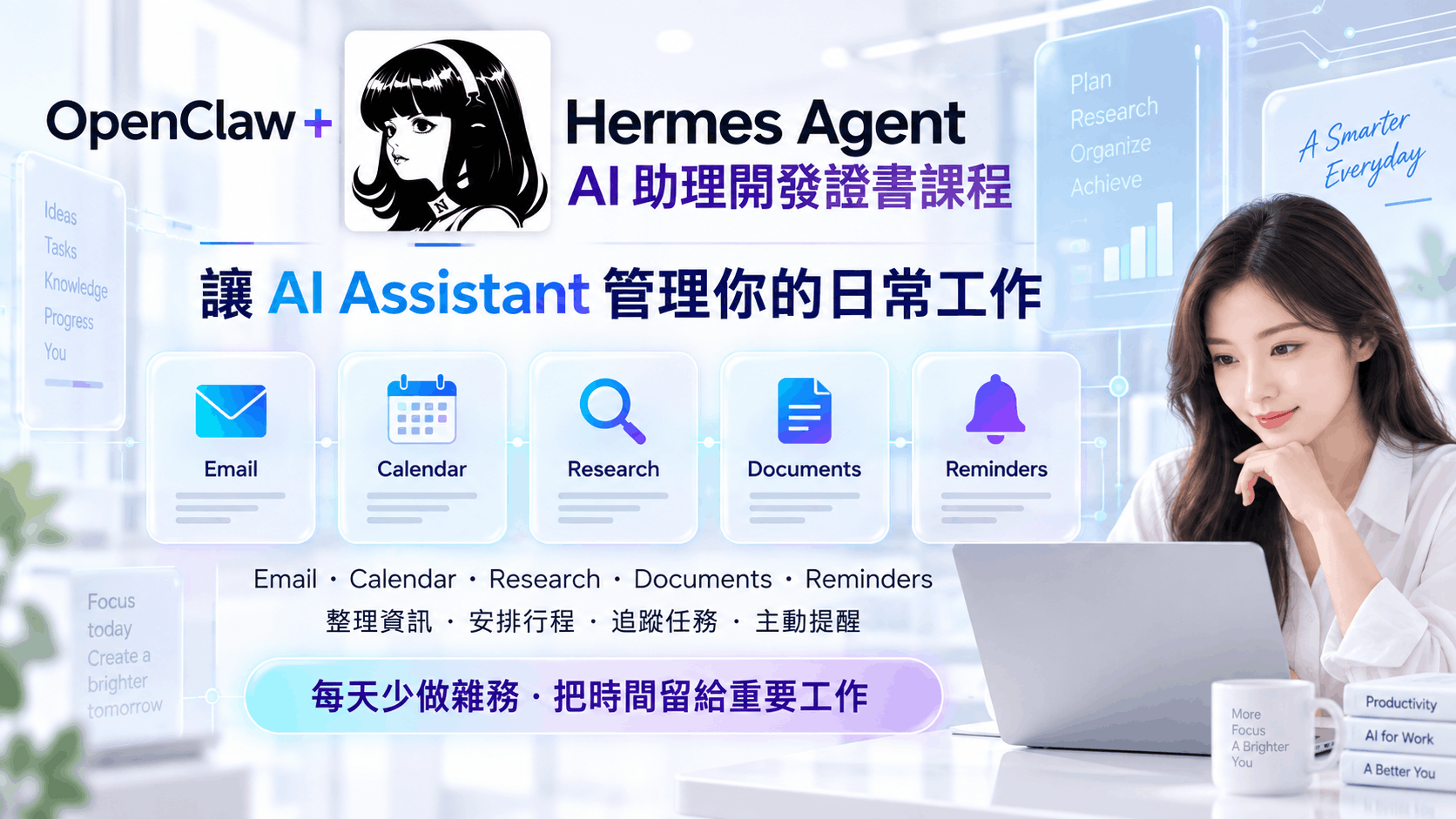
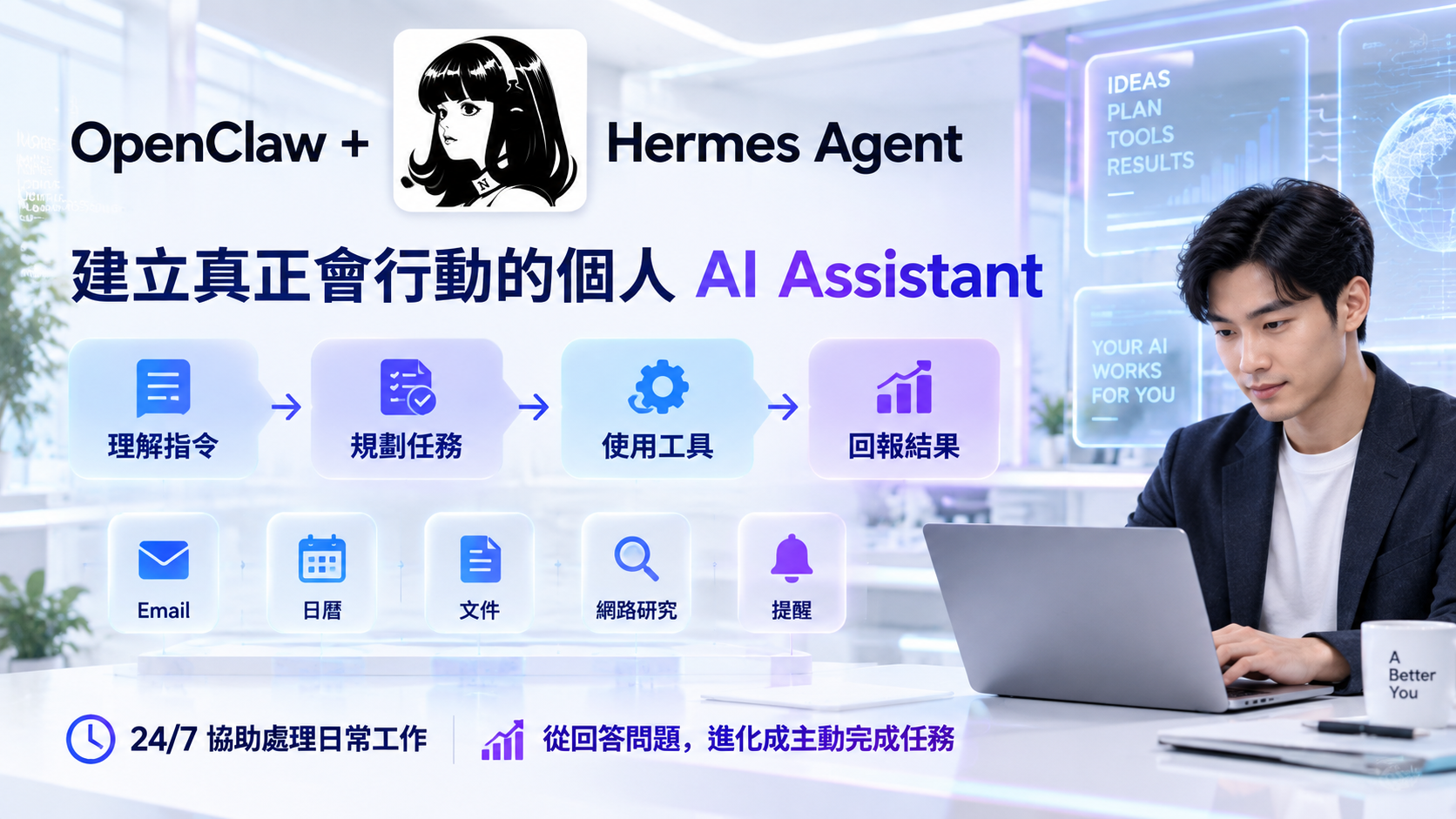
OpenClaw 與 Hermes 都是用於建立 AI 智能代理與自動化助手的平台,能夠連接不同通訊渠道、AI 模型、工具、Skills、檔案系統、網站資料、排程任務及電郵服務。 本課程將帶領學員由零開始,使用 Amazon Lightsail 作為雲端 VPS,學習安裝、部署及管理 OpenClaw,並進一步整合 Telegram、WhatsApp、Gmail、網站爬取、AI 模型調用、知識庫 RAG、Skills 及自動化工作流; 最後再進階學習 Hermes 這個具備自我學習能力的智能代理框架,掌握記憶系統、技能自我優化(GEPA)、Cron 自動化及多代理協作。 課程以 DeepSeek 作為主要 AI 模型,並同時介紹 Mistral 及 OpenRouter(Gemini / OpenAI),讓學員靈活選擇模型。 完成課程後,學員將能夠設計及部署可應用於個人助理、客戶服務、資料研究、電郵秘書、網站監控、多代理協作及企業自動化的 AI Agent。
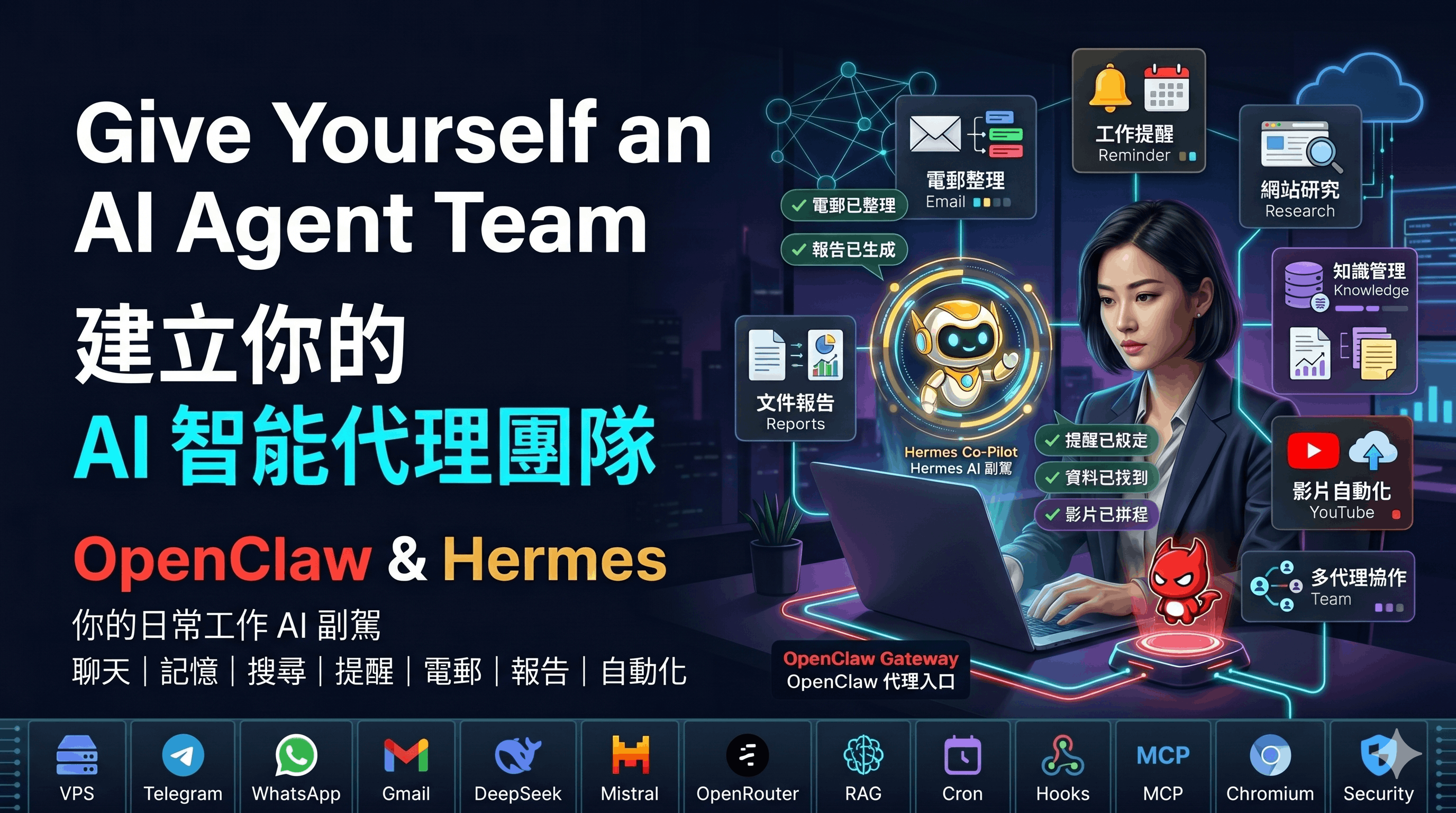
OpenClaw and Hermes AI Agent Development Banner

課程特色 ✨

  • 兩大 AI Agent 平台: 同時學習 OpenClaw 與 Hermes 兩個智能代理平台,理解兩者的架構差異、優缺點及適用場景。
  • 以 Amazon Lightsail 作為實戰 VPS: 學習如何使用雲端伺服器部署 OpenClaw 及 Hermes,了解公網 IP、靜態 IP、SSH、防火牆、HTTPS 及免費額度等重要概念。
  • 兩種完整部署流程: 既學習使用 Lightsail 預設 OpenClaw 映像快速部署,亦學習在 Ubuntu Linux 上以 Node.js 與 npm 手動安裝、設定及維護。
  • Telegram 與 WhatsApp 雙渠道整合: 學習如何讓 AI 助手透過即時通訊平台與使用者互動,支援個人助理、客服助理及團隊助理場景。
  • AI 深度整合(以 DeepSeek 為主): 以 DeepSeek 作為主要 AI 模型,並了解如何連接 Mistral、OpenRouter(Gemini / OpenAI)及 Amazon Bedrock,進行摘要、翻譯、分類、資料抽取、回覆生成及工作流決策。
  • 工作區核心檔案與 Prompt Engineering: 透過 SOUL.md、IDENTITY.md、USER.md、AGENTS.md、TOOLS.md、HEARTBEAT.md 設計 AI 助手的角色、語氣、業務規則及安全邊界。
  • Skills、RAG 與知識庫: 學習如何從 ClawHub 安裝 Skills、建立自訂 Skills,並利用知識庫與 RAG 建立更可靠的企業級問答助手。
  • Hermes 自我學習與多代理系統: 學習 Hermes 的學習迴圈、記憶系統、技能自我優化(GEPA)、Cron 自動化及多代理協作與結構化交接。
  • 網站爬取、檔案管理、排程任務與 Gmail: 讓 AI 助手能夠搜尋資料、整理文件、建立報告、定時執行工作及協助處理電郵。
  • 安全、私隱與成本管理: 了解 API Key 保護、使用者權限、人工審批、提示注入防禦、AI API 成本及雲端成本控制。

課程收穫 🎓

  • 掌握雙平台部署能力: 能理解並完成 OpenClaw 及 Hermes 在 Amazon Lightsail VPS 上的部署與基本管理。
  • 建立多渠道 AI 助手: 能設計可透過 Telegram 及 WhatsApp 互動的 AI Agent。
  • AI 模型調用能力: 能使用 API Key 連接 DeepSeek、Mistral 及 OpenRouter 等 AI 模型,並將 AI 回應整合到不同工作流。
  • 個人化 AI 助手能力: 能設計助手名稱、角色、語氣、語言偏好、商業規則、限制及人手轉介流程。
  • Skills 與自動化能力: 能理解及使用 Skills,並設計網站爬取、檔案處理、排程任務、電郵處理等自動化場景。
  • RAG 與知識庫應用: 能理解如何使用文件、網站內容或企業資料建立知識庫,讓 AI 回答更準確及可追溯。
  • 自我學習與多代理能力: 能運用 Hermes 的記憶系統、技能自我優化(GEPA)及多代理協作,建立可自我改進的 AI 系統。
  • 安全營運能力: 能運用使用者白名單、權限控制、人工審批、日誌、備份及成本控制,讓 AI Agent 更適合正式使用。

完成課程後,您將具備:

  • 雲端 AI Agent 部署能力: 可以在 VPS 上部署及營運自己的 OpenClaw 及 Hermes 助手。
  • 真實業務自動化經驗: 包含 WhatsApp 客服、Telegram 助手、網站研究、Gmail 摘要、檔案整理與定時報告。
  • AI + Automation 的職場競爭力: 能獨立設計具備 AI、Skills、RAG、通訊渠道、自我學習及多代理能力的智能代理。

課程目標對象 👩‍💻👨‍💻

  • 🔰 想入門 AI Agent 的初學者: 想由零開始理解 AI 助手、雲端部署及自動化應用。
  • 💡 企業主與自由工作者: 希望透過 Telegram、WhatsApp、Gmail 及網站資料自動化提升效率。
  • 🏆 AI/自動化推動者: 想學習 AI 模型、Prompt、RAG、Skills、API、多代理及實際部署的技術人才。
  • 📊 營運、行政、客服與資料處理人員: 經常需要處理電郵、文件、網站資料、客戶查詢及例行報告的人。
  • 👨‍💻 開發人員及 IT 人員: 希望了解如何將 AI Agent 部署到 VPS 並整合不同系統。

為什麼選擇這課程? 🤔

  • 🚀 四課完整養成: 從雲端 VPS → OpenClaw 安裝 → 通訊渠道 → AI → 工作區檔案 → RAG → Skills → 自動化 → 安全營運 → Hermes 自我學習與多代理系統,逐步建立完整技能樹。
  • 🤖 雙平台視野: 同時掌握 OpenClaw 與 Hermes,理解不同 AI Agent 架構的設計理念,並懂得在不同場景中作出選擇。
  • ⚙️ 貼近實際業務場景: 課程內容覆蓋 WhatsApp 客服、Telegram 個人助理、網站研究、Gmail 管理、檔案整理、排程報告及 YouTube 影片剪輯。
  • 👩‍🏫 重視概念與實戰設計: 不只學會工具操作,更理解 AI Agent 架構、權限、安全、錯誤處理及成本管理。
  • 🎥 完整錄影課程: 除了面授課堂,學員亦可重溫課程錄影片段,方便反覆學習及鞏固知識。

你將學到什麼 💡

使用 Amazon Lightsail 作為 OpenClaw 與 Hermes 的 VPS 部署環境。

以預設映像及手動 Linux 兩種方式安裝、設定及管理 OpenClaw。

整合 Telegram 與 WhatsApp,建立多渠道 AI 助手。

透過 SOUL.md、AGENTS.md 等核心檔案設計助手個性與安全邊界。

以 DeepSeek 為主,並連接 Mistral、OpenRouter 等模型完成摘要、分類及翻譯。

從 ClawHub 安裝 Skills,並透過提示詞設計自訂 Skills。

建立知識庫及 RAG 工作流,讓 AI 根據企業資料回答問題。

使用無頭 Chromium 爬取網站、整理資料、產生報告及監察更新。

使用 heartbeat、cron、hooks 及 MCP 建立自動化工作流。

部署 Hermes 並掌握其自我學習迴圈、記憶系統與技能自我優化(GEPA)。

設計 Hermes 多代理協作系統,處理任務交接與錯誤恢復。

Course Content 課程內容

Objective: Understand what OpenClaw is, how it works, and how to deploy it on Amazon Lightsail using both the pre-built OpenClaw instance and a manual Ubuntu Linux installation.
學習目標: 了解 OpenClaw 是什麼、運作原理,並學習如何使用 Amazon Lightsail 預設 OpenClaw 映像及手動 Ubuntu Linux 安裝兩種方式進行部署。

  1. Introduction to OpenClaw and AI Agents OpenClaw 與 AI 智能代理簡介
    • What is OpenClaw? A self-hosted AI agent platform/gateway OpenClaw 是什麼?自架 AI 智能代理平台/閘道
    • Short history: Clawdbot → Moltbot → OpenClaw 簡史:Clawdbot → Moltbot → OpenClaw
    • What problem does OpenClaw solve OpenClaw 解決什麼問題
    • What OpenClaw can do: messaging, personal, business, developer and automation assistant OpenClaw 能做什麼:訊息、個人、商業、開發及自動化助手
    • Is OpenClaw free? Software vs VPS vs AI model cost OpenClaw 是否免費?軟件、VPS 與 AI 模型成本
  2. Choosing a Deployment Option 選擇部署方式
    • VPS server vs personal PC vs company server VPS、個人電腦與公司伺服器
    • Pros and cons of each option 各方案的優缺點
    • Hardware requirements: CPU, RAM, storage and OS 硬件需求:CPU、RAM、儲存空間及作業系統
    • Designing a personal or business assistant use case 設計個人或商業 AI 助手應用場景
  3. Creating an AWS Account and Amazon Lightsail 建立 AWS 帳戶與 Amazon Lightsail
    • What is Amazon Lightsail? 什麼是 Amazon Lightsail?
    • Amazon Lightsail vs Amazon EC2 Amazon Lightsail 與 Amazon EC2 比較
    • Creating an account, security verification and password 建立帳戶、安全驗證及密碼
    • Choosing the free plan and free-tier limits (750 hours) 選擇免費方案及免費額度(750 小時)
  4. Deploying the Pre-built OpenClaw Instance 部署預設 OpenClaw 映像
    • Selecting region and availability zone (Singapore) 選擇地區及可用區(新加坡)
    • Picking the OpenClaw blueprint 選擇 OpenClaw 映像
    • SSH key concept: public key vs private key SSH 金鑰概念:公鑰與私鑰
    • Choosing the instance plan and naming the instance 選擇實例方案及命名實例
  5. Static IP, Amazon Bedrock and Browser Pairing 靜態 IP、Amazon Bedrock 與瀏覽器配對
    • When do you need a static IP 何時需要靜態 IP
    • Enabling Amazon Bedrock as the model provider 啟用 Amazon Bedrock 作為模型供應商
    • What is Bedrock? Pros and cons 什麼是 Bedrock?優缺點
    • Browser pairing and token-based authorization 瀏覽器配對與 Token 授權
    • Reviewing the security settings 檢視安全設定
  6. Manual OpenClaw Installation on Ubuntu Linux 在 Ubuntu Linux 手動安裝 OpenClaw
    • Selecting a blank Ubuntu Linux server and a static IP 選擇空白 Ubuntu Linux 伺服器及靜態 IP
    • Updating Ubuntu packages 更新 Ubuntu 套件
    • Installing Node.js, pm2 and common packages 安裝 Node.js、pm2 及常用套件
    • Installing OpenClaw via npm and checking the version 透過 npm 安裝 OpenClaw 及檢查版本
    • Running onboarding and selecting a model 執行 onboard 並選擇模型
    • SSH tunnel and getting the gateway token SSH 通道與取得閘道 Token
  7. Choosing and Changing AI Models 選擇及更換 AI 模型
    • Testing the model from the terminal 在終端機測試模型
    • Using DeepSeek as the main model with an API key 以 DeepSeek 作為主要模型並使用 API Key
    • Using Mistral with an API key 使用 Mistral API Key
    • What is OpenRouter? 什麼是 OpenRouter?
    • Switching to Gemini or OpenAI through OpenRouter 透過 OpenRouter 切換 Gemini 或 OpenAI
    • Instance management: reboot, stop and delete 實例管理:重啟、停止及刪除

Objective: Understand the OpenClaw architecture, connect messaging channels, configure the workspace core files and memory system, and extend the agent using Skills.
學習目標: 理解 OpenClaw 架構,連接通訊渠道,設定工作區核心檔案與記憶系統,並透過 Skills 擴展 AI 助手。

  1. OpenClaw Architecture OpenClaw 架構
    • How OpenClaw works: user → channels → gateway → agent → model 運作流程:使用者 → 渠道 → 閘道 → 代理 → 模型
    • What is the OpenClaw Gateway and its commands 什麼是 OpenClaw Gateway 及其指令
    • What is an OpenClaw Agent and its commands 什麼是 OpenClaw Agent 及其指令
    • What is an OpenClaw Model and its commands 什麼是 OpenClaw Model 及其指令
    • Difference between agent, channel and model agent、channel 與 model 的分別
  2. Setting Up Communication Channels 設定通訊渠道
    • What is an OpenClaw channel 什麼是 OpenClaw 渠道
    • Connecting WhatsApp via QR code 透過 QR Code 連接 WhatsApp
    • WhatsApp DM policy and allowed numbers WhatsApp 私訊政策與允許號碼
    • Creating a Telegram bot with BotFather 使用 BotFather 建立 Telegram Bot
    • Adding the channel and approving the pairing 加入渠道及核准配對
    • Channel related commands and checking status 渠道相關指令及檢查狀態
  3. The OpenClaw Workspace OpenClaw 工作區
    • What is the workspace folder 什麼是工作區資料夾
    • What is a Markdown file 什麼是 Markdown 檔案
    • Viewing the core files in the dashboard 在儀表板檢視核心檔案
  4. Core Workspace Files 核心工作區檔案
    • SOUL.md — the assistant's personality and structure SOUL.md — 助手個性與結構
    • IDENTITY.md — name, role, emoji and avatar IDENTITY.md — 名稱、角色、表情符號與頭像
    • USER.md — about your human USER.md — 使用者檔案
    • AGENTS.md — workflow, behavior and judgment rules AGENTS.md — 工作流、行為與判斷規則
    • TOOLS.md — local environment notes TOOLS.md — 本地環境備註
    • HEARTBEAT.md — patrol mode behavior HEARTBEAT.md — 巡查模式行為
    • Writing different SOUL.md and AGENTS.md templates 撰寫不同的 SOUL.md 與 AGENTS.md 範本
  5. Memory System 記憶系統
    • File-based memory concept 以檔案為基礎的記憶概念
    • Short-term, daily and long-term memory 短期、每日與長期記憶
    • MEMORY.md and memory/YYYY-MM-DD.md MEMORY.md 與每日記憶檔案
    • Memory related commands and indexing 記憶相關指令與索引
  6. Using Skills 使用 Skills
    • What is a Skill 什麼是 Skill
    • Installing skills from ClawHub.io 從 ClawHub.io 安裝 Skills
    • Checking downloads and security audits before installing 安裝前檢查下載量與安全審核
    • Example skills: Humanizer, Serp Analysis and Summarize Skill 範例:Humanizer、Serp Analysis 與 Summarize
    • Skill related commands Skill 相關指令
  7. Document, Productivity and Google Skills 文件、生產力與 Google Skills
    • Excel / XLSX skill: cleaning and formatting reports Excel / XLSX Skill:整理與格式化報告
    • PowerPoint / PPTX skill: auto-generating slides PowerPoint / PPTX Skill:自動生成簡報
    • Creating a custom skill using prompts (expense tracker) 透過提示詞建立自訂 Skill(支出追蹤器)
    • Building a news scraper skill with BeautifulSoup 使用 BeautifulSoup 建立新聞爬取 Skill
    • Google Workspace CLI (GOG): Gmail, Calendar, Drive, Sheets Google Workspace CLI (GOG):Gmail、日曆、Drive、Sheets
    • Setting up Google OAuth credentials for GOG 為 GOG 設定 Google OAuth 憑證

Objective: Learn to automate tasks with heartbeats, cron and hooks, give the agent web access and external integrations, then optimize, control cost and harden security for production use.
學習目標: 學習使用 heartbeat、cron 與 hooks 自動化任務,為助手加入網頁存取及外部整合,並進行優化、成本控制與安全強化以應用於正式環境。

  1. Heartbeat and Cron Heartbeat 與 Cron
    • Difference between heartbeat and cron heartbeat 與 cron 的分別
    • What is a heartbeat and the HEARTBEAT_OK reply 什麼是 heartbeat 及 HEARTBEAT_OK 回覆
    • Configuring heartbeat frequency in openclaw.json 在 openclaw.json 設定 heartbeat 頻率
    • Creating cron jobs using the wizard 使用精靈建立 cron 任務
    • Scheduling daily summaries and reports 排程每日摘要與報告
  2. Setting Up Hooks 設定 Hooks
    • What is a hook 什麼是 hook
    • boot-md: loading startup instructions on gateway start boot-md:啟動時載入指令
    • bootstrap-extra-files: loading extra reference files bootstrap-extra-files:載入額外參考檔案
    • command-logger and session-memory hooks command-logger 與 session-memory hook
    • Use case: product info and return policy assistant 應用:產品資訊與退換貨政策助手
  3. Giving OpenClaw Web Access 為 OpenClaw 加入網頁存取
    • Installing headless Chromium on the VPS 在 VPS 安裝無頭 Chromium
    • Installing libraries needed for automation 安裝自動化所需函式庫
    • Starting Chromium with remote debugging 以遠端除錯模式啟動 Chromium
    • Opening pages and taking page snapshots 開啟網頁及擷取頁面快照
    • Use cases: summarizing, extracting and comparing websites 應用:摘要、抽取與比較網站
  4. MCP and Zapier Integration MCP 與 Zapier 整合
    • What is MCP 什麼是 MCP
    • Creating a Zapier MCP server for OpenClaw 為 OpenClaw 建立 Zapier MCP 伺服器
    • Authorizing access via OAuth 透過 OAuth 授權存取
    • Enabling tools such as Gmail, Sheets and YouTube 啟用 Gmail、Sheets 與 YouTube 等工具
    • Querying connected apps and analytics 查詢已連接應用及數據分析
  5. Advanced Automation Projects 進階自動化專題
    • Auto-creating interactive presentation slides 自動生成互動簡報
    • Installing a skill from GitHub 從 GitHub 安裝 Skill
    • YouTube video clipping and short-form content YouTube 影片剪輯與短片內容
    • Scheduling and posting clips to YouTube 排程並發布短片到 YouTube
    • Packaging a complete workflow into a reusable skill 將完整工作流封裝成可重用 Skill
  6. System Optimization and Cost Saving 系統優化與成本控制
    • Checking VPS usage and free-tier limits 檢查 VPS 用量與免費額度
    • Startup optimization with Node compile cache 使用 Node 編譯快取進行啟動優化
    • Checking token and cost usage 檢查 Token 與成本使用量
    • Using cheaper models for simple tasks 簡單任務使用較平的模型
    • Keeping conversations short and storing stable info in files 縮短對話並將穩定資料寫入檔案
    • Limiting output length and unnecessary heartbeats 限制輸出長度與不必要的 heartbeat
  7. Security Hardening and Production Operations 安全強化與正式營運
    • Running a full security hardening pass 執行完整安全強化檢查
    • Locking down SSH access on the VPS 鎖定 VPS SSH 存取
    • Securing the gateway and Control UI 保護 Gateway 與 Control UI
    • Securing WhatsApp and Telegram bot access 保護 WhatsApp 與 Telegram Bot 存取
    • Running OpenClaw in a sandbox, never as root 以沙箱執行 OpenClaw,切勿使用 root
    • Prompt injection defense and marketplace skill audit 提示注入防禦與市集 Skill 審核
    • Using openclaw doctor and security audit 使用 openclaw doctor 與安全審核

Objective: Master Hermes architecture, identity configuration, skills, automation, and multi-agent orchestration for production-grade AI systems, using DeepSeek as the main model with Mistral and OpenRouter as alternatives.
學習目標: 掌握 Hermes 架構、身份設定、技能系統、自動化與多代理協作,建立可投入正式環境的 AI 系統,並以 DeepSeek 作為主要模型,Mistral 及 OpenRouter 作為替代選擇。

  1. Hermes Architecture and Core Concepts Hermes 架構與核心概念
    • How Hermes works under the hood Hermes 底層運作原理
    • Hermes vs OpenClaw: architectural differences Hermes 與 OpenClaw 架構差異
    • The learning loop and self-improvement cycle 自我學習與優化循環
    • Understanding agent state and persistence 理解代理狀態與持久化
  2. Agent Identity and Memory System 代理身份與記憶系統
    • Configuring SOUL.md (personality & mission) 設定 SOUL.md(個性與使命)
    • USER.md and user modeling USER.md 與用戶建模
    • MEMORY.md and long-term memory structure MEMORY.md 與長期記憶結構
    • Understanding state.db persistence 理解 state.db 持久化機制
    • Cross-session memory retrieval 跨對話記憶檢索
  3. Skills System and Self-Improving Skills 技能系統與自我優化技能
    • What is a skill in Hermes 什麼是 Hermes 技能
    • Installing skills from the community hub 從社群中心安裝技能
    • Writing your first skill in Markdown 以 Markdown 撰寫第一個技能
    • Advanced skill sharing with taps 使用 taps 進階分享技能
    • Hermes generating and improving its own skills Hermes 自行生成與優化技能
  4. GEPA – Offline Skill Optimization GEPA – 離線技能優化
    • Understanding the GEPA learning loop 理解 GEPA 學習循環
    • Offline refinement of skills 離線優化技能
    • Evaluating and scoring skill performance 評估與評分技能表現
    • Continuous improvement workflows 持續優化流程設計
  5. Automation with Cron 使用 Cron 進行自動化
    • Scheduling tasks in natural language 以自然語言排程任務
    • Attaching skills to scheduled jobs 將技能附加至排程任務
    • Delivering automated results to Telegram and WhatsApp 將自動化結果傳送至 Telegram 與 WhatsApp
    • Designing recurring intelligent workflows 設計重複性智能工作流程
  6. Multi-Agent Orchestration 多代理協作系統
    • Configuring multiple agents 設定多個代理
    • Task boards and dependency handling 任務看板與依賴管理
    • Structured handoffs between agents 代理之間的結構化交接
    • Crash recovery and system resilience 錯誤恢復與系統穩定性
  7. Production Deployment and Operational Best Practices 正式部署與營運最佳實踐
    • Deploying Hermes on AWS Lightsail 在 AWS Lightsail 部署 Hermes
    • Model configuration and cost optimization 模型設定與成本優化
    • Securing Telegram and WhatsApp integrations 保護 Telegram 與 WhatsApp 整合
    • Operational monitoring and maintenance 系統監控與維護

導師簡介

Dannis Mok

He has rich experience in business web and apps system development and over 25 years of teaching experience. He has a great passion for learning and teaching new technologies, and his teaching style is clear, to the point, and simplifies complex technologies into easy-to-understand terms.

He has delivered various workshops and classes for well-known corporates, government departments, and local universities, specializing in office automation, data science, data analysis, and business web and apps system development. He is the principal lecturer for NCC Education and University of Greenwich, and has provided training that equips professionals with practical skills tailored to industry needs.

By leveraging his expertise in these areas, he has successfully trained professionals in corporate organizations and government departments to enhance efficiency, adopt data-driven decision-making, and embrace automation technologies.

In addition to his BSc degree in IT, he holds an MBA, an MSc in IT, and an MSc in Telecommunication.

Microsoft MOS Master Microsoft MOS Word Microsoft MOS Excel Microsoft MOS PowerPoint Microsoft MOS Access CompTIA Data Plus Microsoft Power BI Data Analyst Associate Python Institute PCAP
相關專業認證
  • Microsoft MCSE, MCDBA
  • Microsoft Certified System Developer
  • Microsoft Office Specialist Master
  • Cisco CCNA,CCDA,CCNP,CCDP
  • Sun Microsystems -- Certified Java Programmer
  • Oracle -- Certified Database Professional
  • Linux - LPI Level 1 & 2
  • CompTIA Data+
  • Microsoft Certified: Power BI Data Analyst Associate
  • Python Institute: Certified Associate Python Programmer
相關教學經驗
  • 為積金局 (MPF) IT 員工提供 Android 及 iPhone 視像培訓課程
  • 為香港教育局提供 Android 培訓課程予中學電腦科導師
  • 為香港教育大學 IT 員工提供 Cordova 跨平台流動程式開發課程
  • 為房屋署員工 IT 員工提供 HTML5 跨平台流動程式開發課程
  • 為房屋署員工 IT 員工提供 Android 及 iPhone 平台流動程式開發課程
  • 為香格里拉大酒店IT 員工提供 Android 流動程式開發課程
  • 為勞工處提供 HTML5 遊戲培訓課程及電子商店培訓課程
  • 為中國銀行IT 員工提供 Android 及 iPhone 流動程式開發課程
  • 為香港郵政IT 員工提供 Angular 8 程式開發課程
  • 為 VTC 職業訓練局提供各種各類 IT 培訓課程
  • 為醫管局員工 IT 員工提供跨平台流動程式開發課程

視像課程內容

除了面授課堂,同學亦可重溫課程錄影片段, 觀看期為期一年,可在家無限重播。

AI Agent Deployment Overview
AI Workflow and File Automation
Automation and Scheduled Tasks

網上學習系統

為配合在職人士的需求,本校的課程已全部錄影,學員可因應自己的學習進度,隨時隨地選擇任何一科開始學習。學員有充裕的時間去不斷重溫及重播相關技術課程片段,務求令自己掌握相關技術。

詳細視像課程內容,請登入網上學習系統觀看。

登入戶口: demo

登入密碼: demo

LOGIN
Online Learning System

報名及付款

Certificate in AI Agent Development and Automation with OpenClaw and Hermes

Course Code: OHA202606

Schedule: Starts on 16th July 2026 (Thursday), 7:00 PM -- 9:30 PM

Total Duration: 4 lessons

🎉 Early Bird Discount 🎉

$2,980 $1,980

其他付款方式

支付詳情

  • 轉數快: 快速支付系統識別碼: 108329293
  • 銀行轉帳: 恆生銀行 #789-681384-883
    (戶口名稱: UNiSOFT Education Limited)
  • 支票付款: 枱頭請寫 UNiSOFT Education Limited

注意: 如選用轉數快或銀行轉帳完成付款後,請將付款記錄 Whatsapp 到 90455522

校舍地址及聯繫方式

校舍地址: 九龍佐敦德興街12號興富中心5樓501室
辦公時間: 星期一至星期五 上午11時至晚上8時