🚀 Diploma in Microsoft Power Platform & AI‑Driven Business Automation 將於 2026年7月13日 開始 Early Bird 優惠 🎓 Diploma in AI Vibe, Agentic and AI Application Development 將於 2026年7月17日 開始 Limited Seats

Certificate in Vibe Coding for AI Applications
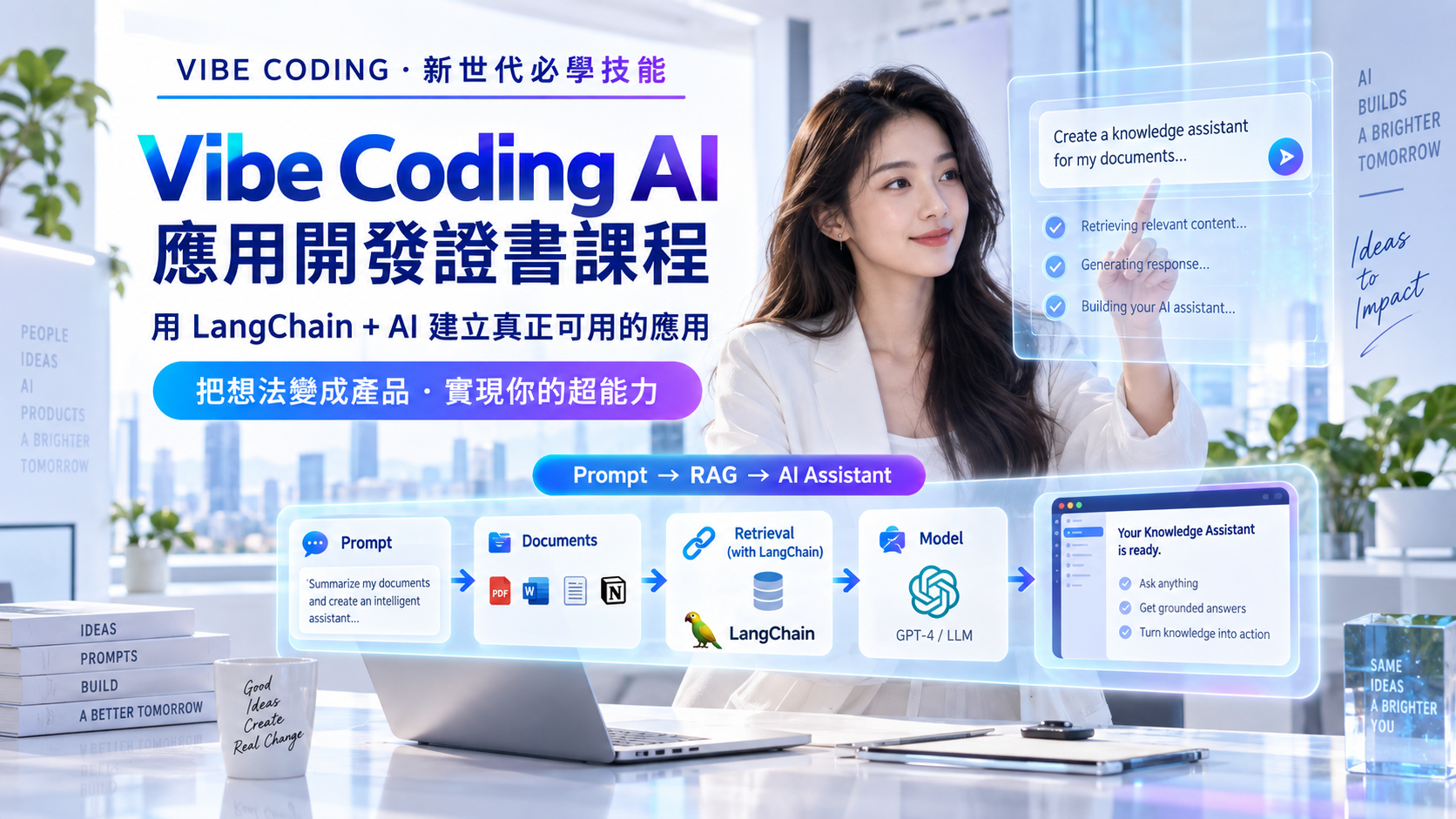
Vibe Coding AI 應用開發專業證書課程 AI Coding: The Next-Level Skill for Everyone

Google Colab GitHub Copilot Cursor OpenCode Python Pandas Matplotlib Scikit-learn PyTorch Ollama ngrok 🤗 Hugging Face Mistral LangChain LangGraph FAISS Streamlit FastAPI

AI Coding 正在成為新一代職場必備技能。 本課程專為任何希望善用 AI Coding 提升工作能力、創作能力及解決問題能力的人士而設, 不論你是辦公室用戶、業務人員、管理人員、教師、創業者、IT 人員、數據分析人員, 或是完全沒有正式程式開發背景的初學者,都可以透過本課程學習如何把想法變成真正可運作的 AI 應用。

本課程以 Vibe Coding、Agentic Coding 及 Loop Engineering 為核心, 帶領學員學習如何使用 自然語言指令 配合 Google Colab、GitHub Copilot、Cursor、OpenCode 及 Python 相關技術, 逐步建立實用的 AI 應用。課程重點不是要求學員死記大量 Python 語法, 而是學習如何清楚描述需求、拆解功能、指導 AI Coding 工具生成程式、 測試結果、修正錯誤及持續改進應用。

透過 AI Coding,學員將能建立與日常工作及業務場景相關的應用, 例如 Excel / CSV 數據分析工具、PDF 問答 Chatbot、會議紀錄摘要工具、 Email 回覆助手、客戶查詢 Agent、文件 OCR 工具、圖片辨識 App、 Machine Learning 預測 App多模態 AI Help Desk Agent。 這些技能可應用於行政、教育、銷售、市場推廣、客戶服務、人力資源、營運管理、 數據分析、IT 支援及創業產品開發等不同領域。

課程其中一大特色,是學員無需擁有高階 GPU 電腦。 學員將學習如何在 Google Colab GPU 上安裝及運行 Ollama, 並透過 ngrok 將 Colab 內的 LLM 服務公開, 再由 OpenCode 連接使用。 這種方式讓學員可以把 Colab 作為雲端 AI 開發環境, 減少本地電腦安裝及 GPU 限制,把重點放在應用開發、 AI Agent 建構及 AI Coding 工作流程上。

完成課程後,學員將不只是「學懂一點 Python」, 而是能掌握一套 用 AI 協助自己建立應用、改善工作流程、 自動化重複工作及發展創新方案 的新一代實用技能。
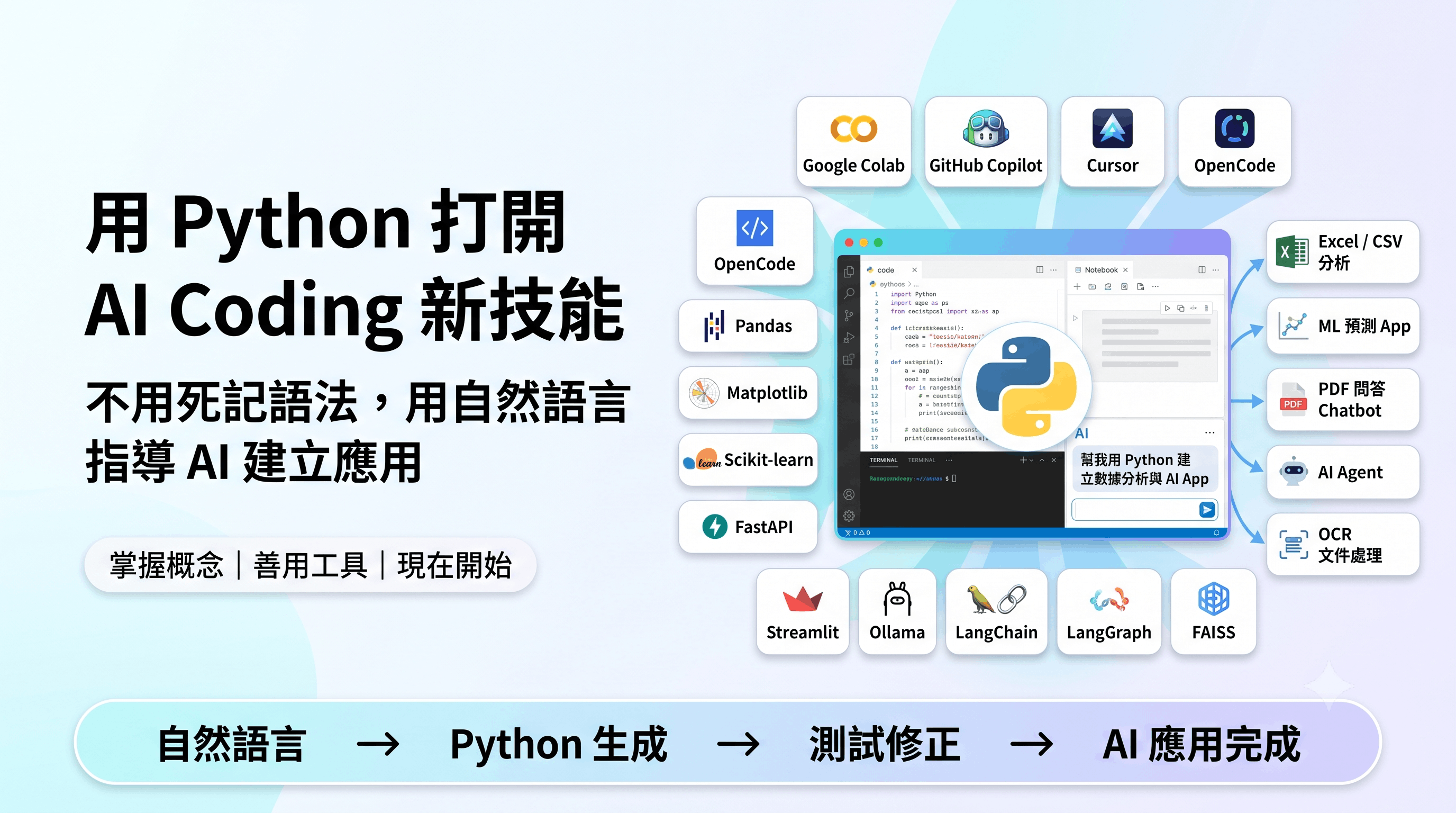
AI Coding for Everyone Banner

課程目標 🎯

  • ✅ 讓任何有興趣提升技能的人士,掌握 AI Coding 作為下一代實用工作能力
  • ✅ 學習如何用自然語言描述想法,並指導 AI Coding 工具建立應用
  • ✅ 幫助非開發者理解應用程式的基本組件,包括輸入、處理、模型、介面及輸出
  • ✅ 使用 Google Colab 作為雲端 Python、AI 及數據應用開發環境
  • ✅ 使用 GitHub Copilot、Cursor 及 OpenCode 協助生成、修改、解釋及重構程式
  • ✅ 掌握 Vibe Coding、Agentic Coding 及 Loop Engineering 的實戰流程
  • ✅ 建立與工作相關的 Excel / CSV 數據分析、自動報告及圖表工具
  • ✅ 使用 Scikit-learn 建立簡單實用的 Machine Learning 預測 App
  • ✅ 使用 FastAPI 及 Streamlit 將 AI / ML 功能變成可操作的 Web App
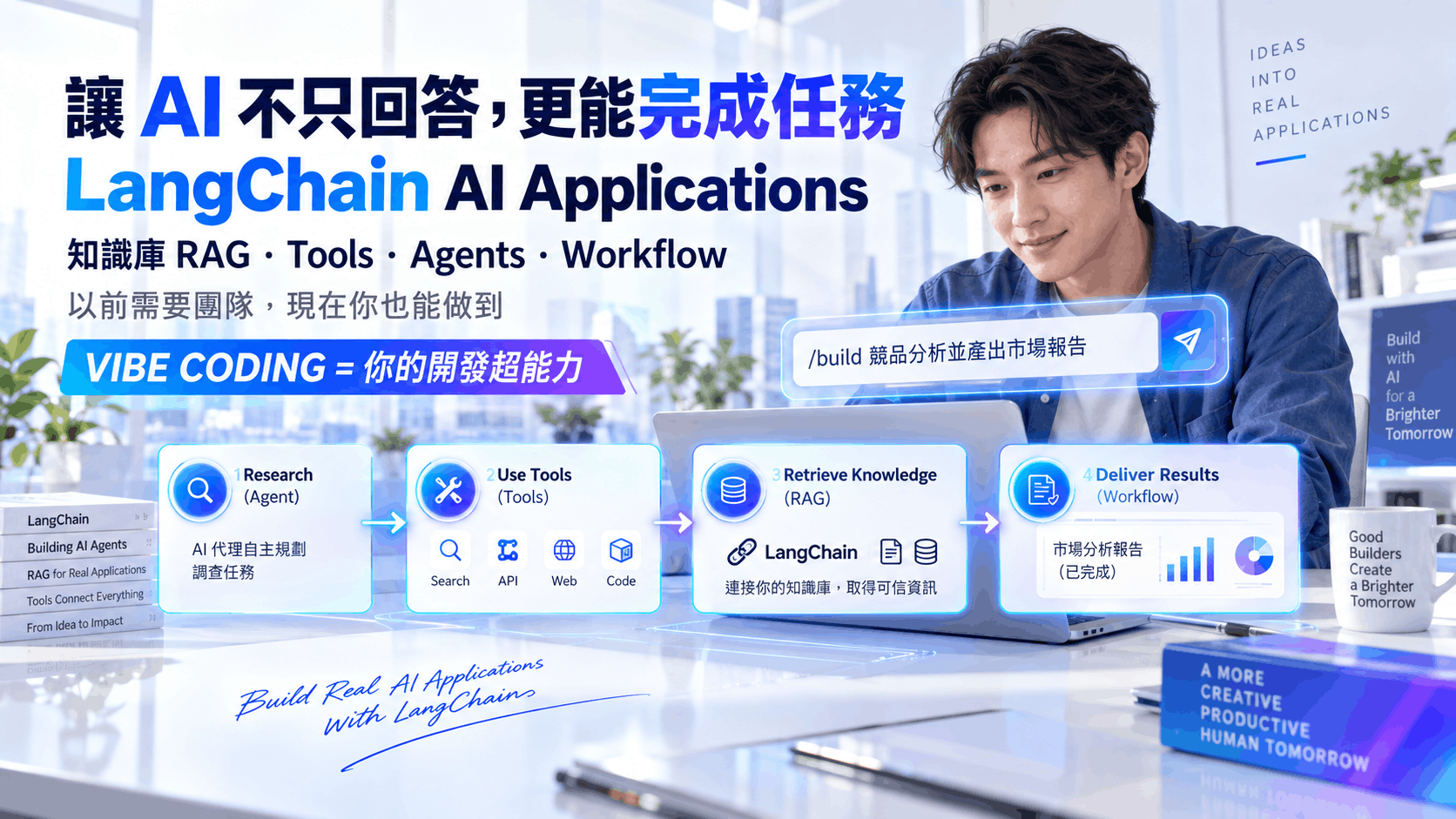
  • ✅ 使用 LangChain 建立 PDF、文件及知識庫問答 Chatbot
  • ✅ 使用 LangGraph 建立具備流程判斷及工具調用能力的 AI Agent
  • ✅ 建立可處理文字、PDF、圖片、OCR、音訊及影片 Transcript 的多模態 AI 應用
  • ✅ 幫助學員把 AI Coding 技能應用於行政、教育、業務、客戶服務、數據分析、IT 支援及創業場景

學習成果 🎓

成功完成本課程後,學員將能夠:

  • 把 AI Coding 視為下一代實用技能,應用於工作、自動化、數據分析及 AI 應用開發
  • 用自然語言清楚描述應用需求,並將想法拆解成可執行的功能模組
  • 使用 GitHub Copilot、Cursor 及 OpenCode 協助生成、修改、測試、解釋及改善程式
  • 使用 Loop Engineering 透過「生成、執行、觀察、修正、測試、重構」完成應用
  • 使用 Google Colab 建立 Python、數據分析、AI Coding 及雲端 LLM 開發環境
  • 使用 Pandas 及 Matplotlib 建立 Excel / CSV 數據清理、分析、圖表及報告工具
  • 使用 Scikit-learn 建立簡單分類及預測模型,並理解 Machine Learning 的基本流程
  • 使用 FastAPI + Streamlit 將 AI 或 Machine Learning 功能包裝成可使用的 Web App
  • 在 Colab GPU 中運行 Ollama,並透過 ngrok 讓 OpenCode 連接 LLM 服務
  • 使用 LangChain 建立 PDF、文件及公司知識庫問答系統
  • 使用 LangGraph 建立具備條件分支、工具使用及多步驟流程的 AI Agent
  • 建立圖片辨識、OCR、音訊轉文字及影片摘要等多模態 AI 應用
  • 把 AI Coding 技能應用到日常工作,例如報告生成、文件處理、客戶服務、教育輔助、數據分析及流程自動化

課程特色 ✨

  • AI Coding for Everyone: 本課程不是只為專業程式員而設,而是為任何想提升工作能力、創造力及解決問題能力的人士而設。
  • 自然語言開發: 學習如何用日常語言描述需求,指導 AI Coding 工具建立應用。
  • 非開發者友善: 重點不是死記語法,而是掌握概念、組件、流程及應用思維。
  • 下一代職場技能: AI Coding 可應用於行政、教育、業務、數據分析、IT 支援、客戶服務及創業產品開發。
  • Colab GPU + Ollama + ngrok + OpenCode: 無需高階本地 GPU 電腦,也可建立 LLM 及 Agent 應用。
  • Loop Engineering: 透過生成、執行、觀察、修正、測試及重構的循環方式完成應用。
  • 多種 AI Coding 工具: 同時使用 GitHub Copilot、Cursor 及 OpenCode,體驗不同 AI 開發工作流。
  • 實用 App 導向: 以 YouTube 摘要、PDF 問答、Excel 分析、ML 預測、Help Desk Agent、圖片辨識等應用為主。
  • 完整應用流程: Python Data App → ML App → FastAPI → Streamlit → RAG Chatbot → LangGraph Agent → Multimodal AI App。
  • 多模態 AI 應用: 支援文字、PDF、圖片、OCR、音訊及影片 Transcript 等資料處理。

課程目標對象 👩‍💻👨‍💻

本課程適合任何希望把 AI Coding 變成自己下一階段核心技能的人士。 你不需要先成為專業程式員,也可以學習如何使用 AI 工具,把想法變成實用應用。

  • 🔰 初學者 / 非開發者: 想學習 AI Coding,但不想由死記大量程式語法開始。
  • 🏢 辦公室及行政人員: 想建立 Excel 分析、自動報告、文件整理、PDF 問答及流程自動化工具。
  • 📊 數據分析及業務人員: 想利用 Python、Pandas、機器學習及 AI 工具提升數據分析及預測能力。
  • 💼 管理人員及部門主管: 想了解 AI Coding 如何改善團隊效率、流程管理及決策支援。
  • 📣 市場推廣及銷售人員: 想建立客戶資料分析、內容生成、Email 助手及客戶查詢 Agent。
  • 🎓 教師及培訓人員: 想建立教材摘要、Quiz Generator、影片轉錄、學習輔助及學生問答工具。
  • 👥 人力資源及培訓部門: 想建立 HR Policy Chatbot、履歷篩選、員工培訓問答及文件搜尋工具。
  • 🛠️ IT 支援及技術人員: 想利用 AI Coding 快速建立內部工具、Help Desk Agent、RAG 知識庫及自動化系統。
  • 🚀 創業者 / 產品經理: 想快速建立 AI App Prototype,驗證產品及業務想法。
  • 💡 任何想升級技能的人士: 想掌握 AI Coding 作為未來工作、學習及創新的核心能力。

為什麼選擇這課程? 🤔

  • 🚀 AI Coding 是下一代實用技能: 讓你不只是使用 AI 工具,而是能用 AI 建立自己的工具。
  • 🌍 適合不同背景學員: 不論你是辦公室用戶、業務人員、教師、IT 人員、分析師、管理者或創業者,都可受益。
  • 🧠 不用死記語法: 重點是學習如何描述需求、拆解功能、指導 AI 工具及完成應用。
  • ☁️ 無需高階 GPU: 使用 Google Colab GPU 作為雲端 AI 開發環境。
  • 🤖 Colab + Ollama + ngrok + OpenCode: 學習最新雲端 LLM 開發工作流。
  • 📦 大量實用 App 例子: YouTube 摘要、PDF Chatbot、Invoice OCR、Email Assistant、Data App、Help Desk Agent 等。
  • 🔧 多工具整合: 同時學習 GitHub Copilot、Cursor、OpenCode、LangChain、LangGraph、FastAPI 及 Streamlit。
  • 🎥 完整錄影+實作範例: 學員可反覆重溫,按自己進度練習。

可建立的實用 AI 應用範例 🚀

本課程重點不是死記 Python 語法,而是學習如何使用自然語言指令, 配合 AI Coding 工具及 Python 技術,快速建立以下類型的實用應用:

  • 🎥 YouTube 影片下載、轉錄及摘要工具
  • 🎙️ 會議錄音轉文字、重點摘要及 Action Items 產生器
  • 📄 PDF 文件摘要及問答 Chatbot
  • 📊 Excel / CSV 數據清理及自動報告工具
  • 📈 銷售數據分析 Dashboard
  • 😊 客戶意見情感分析及投訴分類工具
  • 🎫 Help Desk Ticket 分類及優先級預測 App
  • ✉️ 客戶 Email 自動回覆助手
  • 🧾 Invoice / Receipt OCR 資料擷取工具
  • 👩‍💼 Resume Screening 履歷篩選助手
  • 📝 教材 Quiz Generator 及 Flashcard 產生器
  • 🏢 公司知識庫 RAG Chatbot
  • 📚 HR Policy / SOP 問答助手
  • 🤖 LangGraph Help Desk Agent
  • 🖼️ 圖片辨識及產品分類 App
  • 📸 Screenshot Error Explainer 截圖錯誤解釋工具
  • 🎬 Video Content Analyzer 影片內容分析工具
  • 🧠 Personal Knowledge Base 個人知識庫助手
  • 🔎 Multimodal Help Desk RAG Agent 多模態客服支援 Agent

你將學到什麼 💡

使用 Google Colab 作為雲端 AI 開發環境

使用 GitHub Copilot、Cursor 及 OpenCode 進行 AI Coding

使用 Python、Pandas 及 Matplotlib 建立數據應用

使用 Scikit-learn 建立 Machine Learning App

FastAPI Backend + Streamlit Frontend 應用開發

Colab GPU + Ollama + ngrok + OpenCode 雲端 LLM 工作流

使用 LangChain 建立 RAG 文件問答應用

使用 LangGraph 建立 Agent 工作流程

使用 PyTorch / 預訓練模型建立圖片辨識應用

Course Content

Module 1.1 – AI Coding as the Next-Level Skill
  • Why AI Coding is becoming a practical skill for everyone
  • AI Coding is not only for professional programmers
  • How business users, educators, analysts, managers and beginners can use AI Coding
  • From idea to application using natural language
Module 1.2 – Vibe Coding and Agentic App Development
  • What is Vibe Coding?
  • What is Agentic App Development?
  • Use natural language to describe application ideas
  • Break an app into input, processing, model, UI and output components
Module 1.3 – AI Coding Tools: GitHub Copilot, Cursor and OpenCode
  • GitHub Copilot for code completion and inline assistance
  • Cursor for codebase chat, generation and refactoring
  • OpenCode for terminal-based AI coding and project editing
  • When to use each AI coding tool
Module 1.4 – Loop Engineering Workflow
  • Describe goal → Generate code → Run code → Observe result
  • Fix errors, test again, refactor and improve
  • How to give useful feedback to AI tools
  • Debugging with error messages and expected outputs
Module 1.5 – Google Colab and Python Basics
  • Create and run Colab notebooks
  • Upload files and use Google Drive
  • Install Python packages
  • Python basics for application building: variables, lists, dictionaries, conditions, loops and functions
Module 1.6 – Pandas and Matplotlib Data Apps
  • Load CSV and Excel files with Pandas
  • Clean, filter, sort and summarize data
  • Create charts with Matplotlib
  • Generate simple data reports
Practical Lab

Build a data analysis report generator using Google Colab, Python, Pandas, Matplotlib and AI coding tools.

Module 2.1 – Machine Learning Concepts for Non-Developers
  • What machine learning can do in business and daily work
  • Classification vs regression
  • Features, labels, training data and testing data
  • Model training, prediction and evaluation workflow
Module 2.2 – Scikit-learn Application Workflow
  • Prepare data with Pandas
  • Train Decision Tree Classification and Regression models
  • Evaluate model performance
  • Save and load trained models with joblib
Module 2.3 – FastAPI Prediction Backend
  • What is an API and why ML apps need a backend?
  • Create backend_app.php-compatible Python service concept using FastAPI
  • Load saved Scikit-learn model
  • Create POST /predict endpoint
  • Return prediction result as JSON
Module 2.4 – Streamlit Frontend for ML App
  • Create streamlit_app.py
  • Build input forms with text input, number input, select box and sliders
  • Send user input to FastAPI backend
  • Display prediction result, charts and explanation
Module 2.5 – Loop Engineering for ML App Development
  • Use AI tools to convert notebook code into application files
  • Debug model loading, feature order and API request errors
  • Test complete flow: Streamlit UI → FastAPI API → Scikit-learn model → prediction result
  • Improve the app step by step
Practical Lab

Build a practical machine learning prediction app with Scikit-learn, FastAPI backend and Streamlit frontend.

Module 3.1 – Colab GPU, Ollama, ngrok and OpenCode Workflow
  • Why local GPU is not required
  • Use Google Colab GPU as AI runtime
  • Install and run Ollama in Colab
  • Expose the Colab LLM service using ngrok
  • Connect OpenCode to the Colab-hosted LLM endpoint
🤗 Module 3.2 – Model Provider Options
  • Ollama in Colab
  • Hugging Face models
  • Mistral as an alternative LLM provider
  • Choosing a model provider for different applications
Module 3.3 – LangChain for LLM Applications and RAG
  • Chat model, prompt template, output parser and chain
  • Document loading and text splitting
  • Embeddings, vector store and FAISS
  • Build a basic RAG document question-answering app
Module 3.4 – LangGraph for Agentic Applications
  • Agent state, nodes and edges
  • Conditional routing and tool nodes
  • Difference between chatbot, RAG app and agent
  • Build a simple support assistant workflow
Module 3.5 – Natural Language Guided Agent Development
  • Describe agent goal, tools and workflow in natural language
  • Ask AI tools to generate LangChain and LangGraph structure
  • Run, observe, debug and improve agent behavior
Practical Lab

Build a RAG knowledge base chatbot and simple LangGraph agent using Colab GPU, Ollama, ngrok and OpenCode.

Module 4.1 – Practical Deep Learning and Image Recognition
  • What image recognition can do
  • Basic PyTorch concept
  • Use pretrained image recognition model
  • Upload image and classify result
  • Build simple image recognition UI
Module 4.2 – Multimodal Data Processing
  • Text and PDF processing
  • Images and screenshots
  • OCR for image text extraction
  • Image captioning
  • Audio transcription and video transcript processing
Module 4.3 – Multimodal RAG
  • Convert different media into searchable text
  • Create document chunks and embeddings
  • Store vectors in FAISS
  • Retrieve relevant context and generate answers
  • Show retrieved sources for traceability
Module 4.4 – Help Desk Agent Workflow
  • Accept user issue
  • Identify issue type
  • Search knowledge base
  • Analyze screenshot or document
  • Generate answer, troubleshooting steps, issue summary and escalation recommendation
Module 4.5 – App Interface and Final Integration
  • Build Streamlit frontend
  • Optional FastAPI backend
  • Test app in Colab or local environment
  • Use ngrok for public testing
  • Use Loop Engineering to improve final app
Final Capstone Project

🎯 Multimodal AI Help Desk RAG Agent with Image Recognition

Includes:

  • Text / PDF upload
  • Image OCR and image recognition
  • Audio or video transcript processing
  • FAISS-based knowledge retrieval
  • LangChain RAG
  • LangGraph workflow
  • Streamlit frontend
  • Optional FastAPI backend
  • Ollama / Hugging Face / Mistral model option
  • Loop Engineering improvement cycle

導師簡介

Dannis Mok

He has rich experience in business web and apps system development and over 25 years of teaching experience. He has a great passion for learning and teaching new technologies, and his teaching style is clear, to the point, and simplifies complex technologies into easy-to-understand terms.

He has delivered various workshops and classes for well-known corporates, government departments, and local universities, specializing in office automation, data science, data analysis, AI application development, and business web and apps system development. He is the principal lecturer for NCC Education and University of Greenwich, and has provided training that equips professionals with practical skills tailored to industry needs.

By leveraging his expertise in these areas, he has successfully trained professionals in corporate organizations and government departments to enhance efficiency, adopt data-driven decision-making, and embrace automation and AI technologies.

In addition to his BSc degree in IT, he holds an MBA, an MSc in IT, and an MSc in Telecommunication.

Microsoft MOS Master Microsoft MOS Word Microsoft MOS Excel Microsoft MOS PowerPoint Microsoft MOS Access CompTIA Data Plus Microsoft Power BI Data Analyst Associate Python Institute PCAP
相關專業認證
  • Microsoft MCSE, MCDBA
  • Microsoft Certified System Developer
  • Microsoft Office Specialist Master
  • Cisco CCNA,CCDA,CCNP,CCDP
  • Sun Microsystems -- Certified Java Programmer
  • Oracle -- Certified Database Professional
  • Linux - LPI Level 1 & 2
  • CompTIA Data+
  • Microsoft Certified: Power BI Data Analyst Associate
  • Python Institute: Certified Associate Python Programmer
相關教學經驗
  • 為積金局 (MPF) IT 員工提供 Android 及 iPhone 視像培訓課程
  • 為香港教育局提供 Android 培訓課程予中學電腦科導師
  • 為香港教育大學 IT 員工提供 Cordova 跨平台流動程式開發課程
  • 為房屋署員工 IT 員工提供 HTML5 跨平台流動程式開發課程
  • 為房屋署員工 IT 員工提供 Android 及 iPhone 平台流動程式開發課程
  • 為香格里拉大酒店IT 員工提供 Android 流動程式開發課程
  • 為勞工處提供 HTML5 遊戲培訓課程及電子商店培訓課程
  • 為中國銀行IT 員工提供 Android 及 iPhone 流動程式開發課程
  • 為香港郵政IT 員工提供 Angular 8 程式開發課程
  • 為 VTC 職業訓練局提供各種各類 IT 培訓課程
  • 為醫管局員工 IT 員工提供跨平台流動程式開發課程

視像課程內容

除面授課堂,同學亦可重溫課程錄影片段,觀看期為期一年,可在家無限重播。

PowerBI Relationship (08m:59s)
Python Pandas (06:32)
PowerAutomate Auto Sum Up (06:32)

網上學習系統

為配合在職人士的需求,本校的課程已全部錄影,學員可因應自己的學習進度,隨時隨地選擇任何一科開始學習。學員有充裕的時間去不斷重溫及重播相關技術課程片段,務求令自己掌握相關技術。

詳細視像課程內容,請登入網上學習系統觀看。

登入戶口: demo

登入密碼: demo

LOGIN
Online Learning System

報名及付款

Certificate in Vibe Coding for AI Applications

AI Coding: The Next-Level Skill for Everyone

Course Code: MMA2026

Schedule: Starts on 2nd July, 7:00 PM -- 9:30 PM

Total Duration: 4 lessons (10 hours)

🎉 Early Bird Discount 🎉

$2,980 $2,280

其他付款方式

支付詳情

  • 轉數快: 快速支付系統識別碼: 108329293
  • 銀行轉帳: 恆生銀行 #789-681384-883
    (戶口名稱: UNiSOFT Education Limited)
  • 支票付款: 枱頭請寫 UNiSOFT Education Limited

注意: 如選用轉數快或銀行轉帳完成付款後,請將付款記錄 Whatsapp 到 90455522

校舍地址及聯繫方式

校舍地址: 九龍佐敦德興街12號興富中心5樓501室
辦公時間: 星期一至星期五 上午11時至晚上8時