🚀 Diploma in AI Integrated Development: Web × Apps × Data Science 將於 2026年5月7日 開始 Early Bird 優惠 🎓 英國學歷課程! NCC Diploma in Computing 將於 2026年5月5日 註冊截止日期 Limited Seats

Certificate in AI Vibe Coding for Web Development
AI 氛圍編碼 - 網頁應用開發證書課程

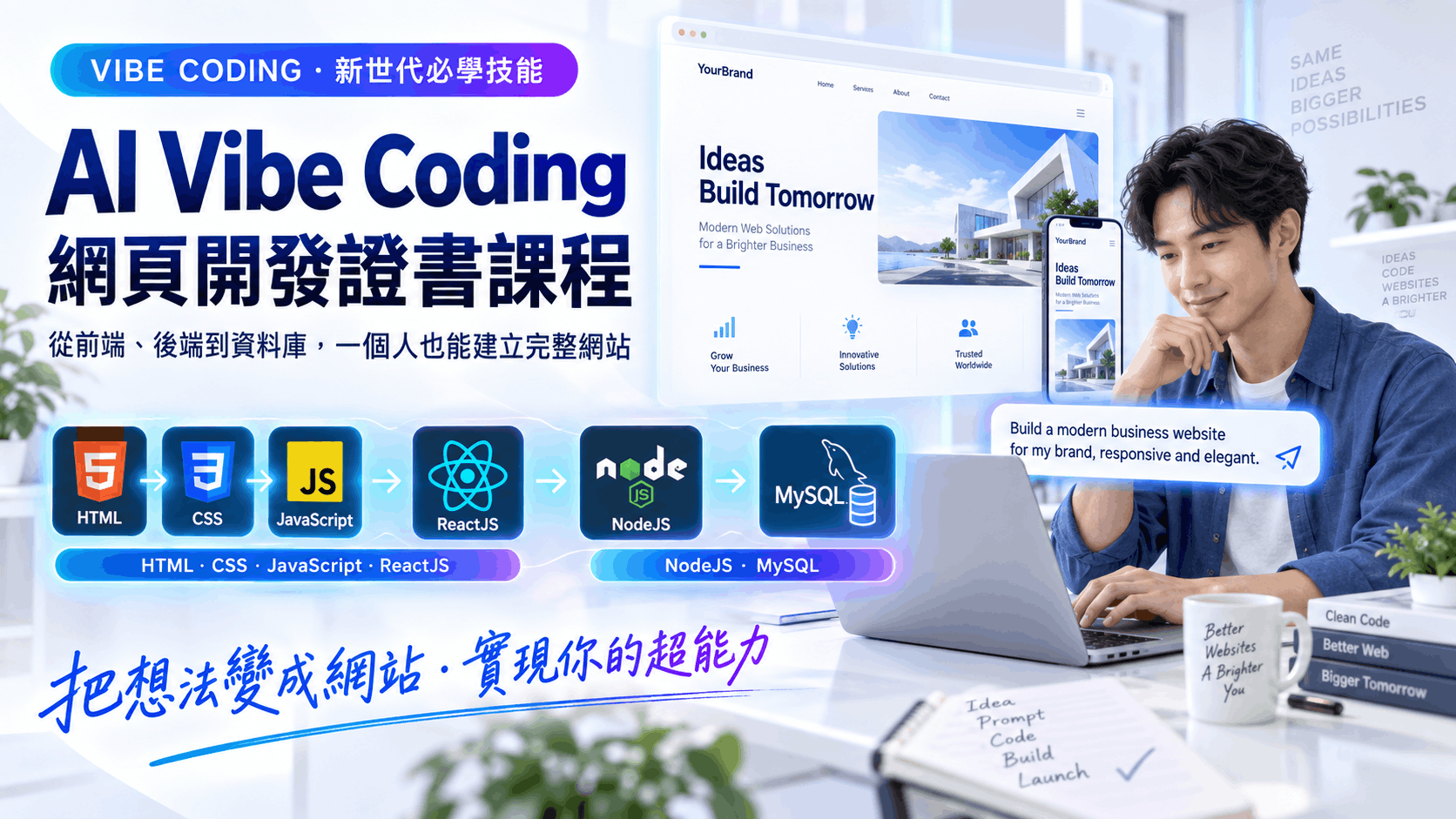
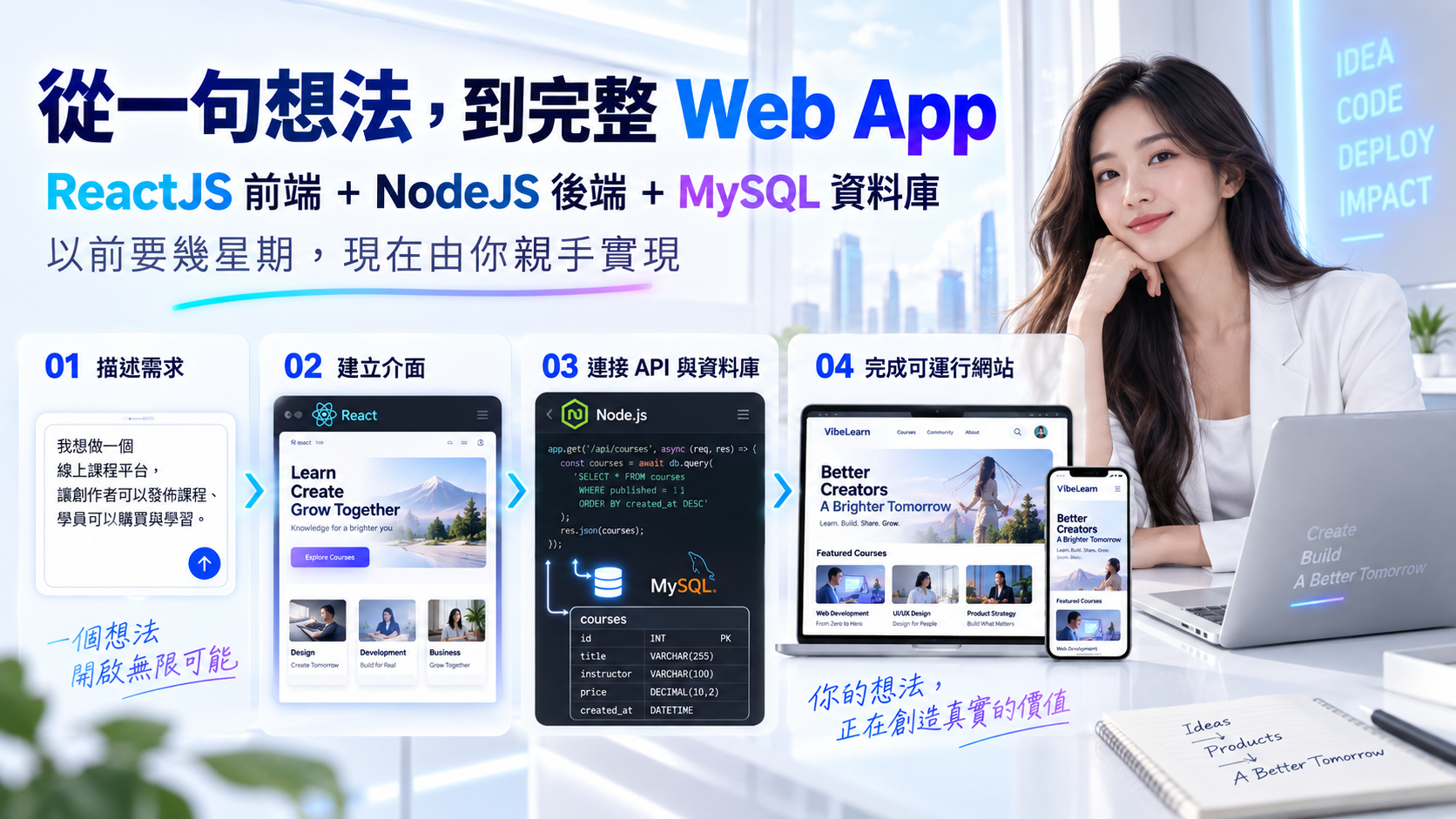
本課程專為希望透過 AI 輔助方式,更輕鬆、更快速建立現代網站及 Web App 的學員而設。課程以 GitHub Copilot 為核心工具,帶領學員學習如何透過自然語言描述需求,生成、修改及優化前端、後端及部署程式碼。即使您不是資深程式員,也可以掌握現代 AI-assisted 開發流程,大幅提升開發效率。 課程內容涵蓋 HTML5、CSS、JavaScript、ReactJS,以及兩大後端技術棧:JavaScript(NodeJS)和 Python(Flask / FastAPI),並整合 MySQL、MongoDB 作為資料儲存方案。學員將以「vibe coding」方式,掌握從 UI 設計、API 建立、資料庫整合,到最終部署的完整 Web App 開發流程,並完成可實際運行的全棧應用系統。
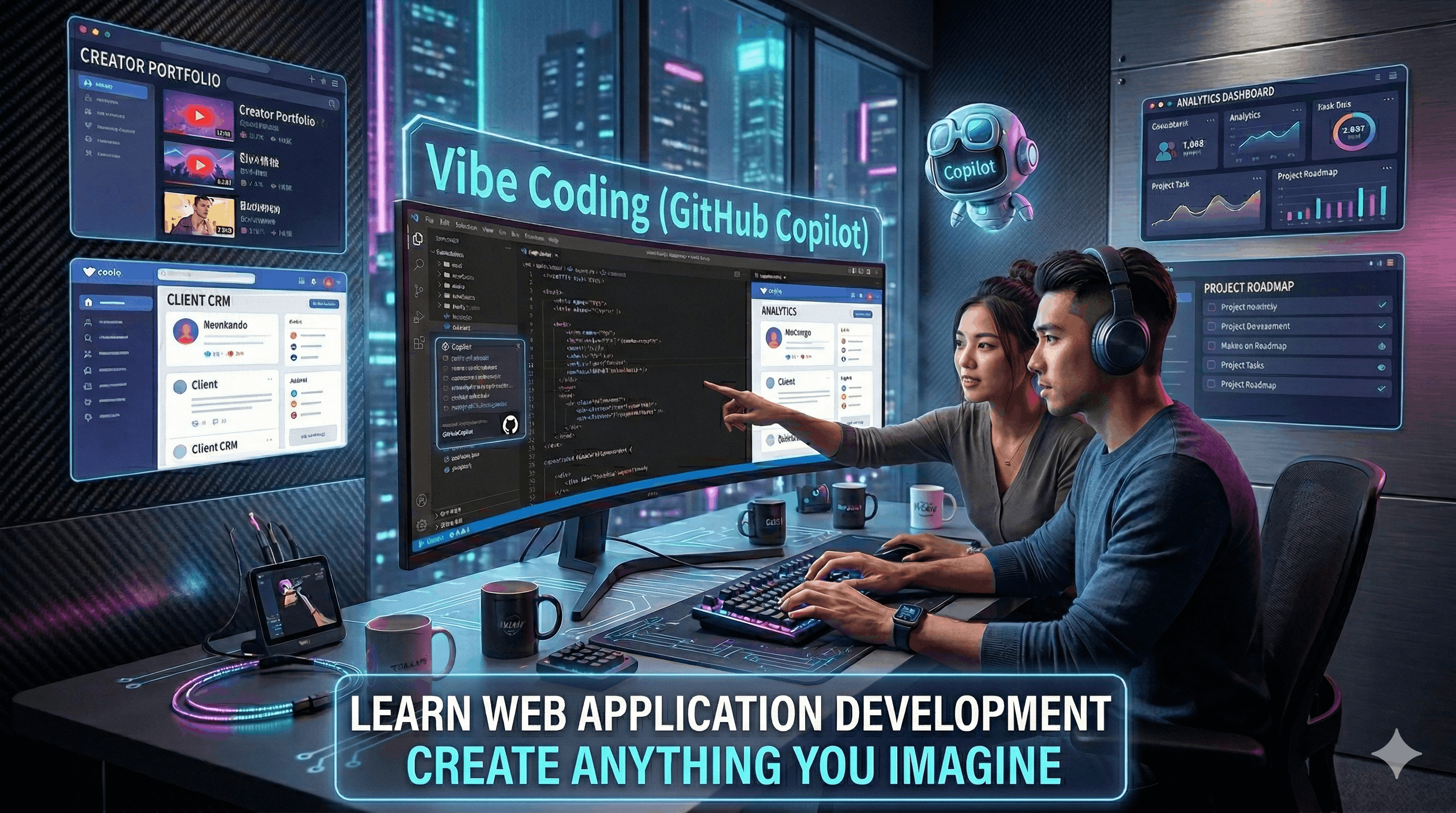
Vibe Coding Web App Development

課程特色 ✨

  • 自然語言開發新模式: 現在任何人都可以透過自然語言提示配合 GitHub Copilot,更輕鬆地建立網站及 Web App。
  • AI 實戰導向: 以 GitHub Copilot + Prompting 作為核心開發方式,學習現代 AI-assisted development workflow。
  • 雙後端技術棧教學: 課程同時教授 JavaScript(NodeJS)及 Python(Flask / FastAPI)後端開發,這是本課程其中一個重要賣點。
  • 前端完整覆蓋: 掌握 HTML5、CSS、JavaScript、ReactJS,快速建立現代化互動介面。
  • 資料庫整合: 實作 MySQL、MongoDB,學習不同資料模型及使用場景。
  • 完整全棧開發流程: 從需求分析、UI、API、Database、Debug 到 Deployment,全流程實戰。
  • 適合現代職場需求: 建立 AI 協作開發能力,提升開發效率與職場競爭力。

課程目標 🎯

  • 了解 Vibe Coding 開發模式: 學會如何使用自然語言與 GitHub Copilot 協作開發網站及 Web App。
  • 掌握現代前端技術: 使用 HTML5、CSS、JavaScript、ReactJS 建立響應式及互動式網頁。
  • 掌握雙後端開發能力: 同時學習 JavaScript(NodeJS)與 Python(Flask / FastAPI)API 開發方式。
  • 建立資料庫整合能力: 學會把 Web App 與 MySQL、MongoDB 連接。
  • 掌握前後端整合: 建立完整 CRUD Web App 及 API 驅動型系統。
  • 學習 AI 輔助除錯及重構: 理解如何檢查、修正及優化 AI 生成的程式碼。
  • 完成可部署的作品: 建立一個可實際上線並用於 portfolio 展示的完整專案。

課程收穫 🎓

  • GitHub Copilot 實戰能力: 能利用自然語言提示快速生成前端、後端與資料庫程式碼。
  • Frontend Development 能力: 可建立 HTML5 / CSS / JavaScript / ReactJS 的現代化網頁介面。
  • Backend API Development 能力: 可同時使用 JavaScript(NodeJS)及 Python(Flask / FastAPI)建立後端服務。
  • Database Integration 技能: 能整合 MySQL、MongoDB 作資料儲存。
  • 完整 CRUD App 開發能力: 可建立新增、查詢、更新、刪除功能完整的系統。
  • Full-stack Integration 能力: 能把前端、API、資料庫及部署流程整合為完整 Web App。
  • AI-assisted Debugging: 能使用 AI 協助找 bug、重構程式及撰寫技術文件。

完成課程後,您將具備:

  • AI 開發協作能力: 懂得如何與 Copilot 協作,而不是只依賴 AI 自動產生程式碼。
  • 實戰型全棧開發能力: 可獨立建立前端 + 後端 + 資料庫整合系統。
  • 雙語言後端能力: 同時掌握 JavaScript(NodeJS)及 Python 兩種主流後端技術方向。
  • 作品展示能力: 完成可展示給僱主、客戶或用於 freelance 的 portfolio project。

可開發的 Web Apps 💡

企業網站 / 公司服務展示平台

課程報名系統 / 活動登記平台

預約系統 / Appointment Booking App

產品管理系統 / Inventory Dashboard

客戶資料管理系統 / CRM Web App

購物車 / E-commerce Mini App

會員登入系統 / User Portal

部門內部管理系統 / Admin Dashboard

AI 問答平台 / AI Chatbot Interface

Blog / 內容管理 / Learning Platform

表單收集 / 問卷 / 審批流程系統

AI 驅動商業流程 Web 應用

Course Content

Objective: Understand AI-assisted coding workflow and learn how anyone can build modern websites and frontend pages more easily using GitHub Copilot, HTML5, CSS, and JavaScript.

  1. What is Vibe Coding?
    • AI-assisted development concepts
    • Using natural language to generate code
    • Why website development is now easier and faster with AI assistance
    • Strengths and limitations of GitHub Copilot
    • Best practices for reviewing AI-generated code
  2. Development Environment Setup
    • Visual Studio Code setup
    • GitHub Copilot and Copilot Chat
    • Recommended extensions for web development
    • Git and GitHub workflow basics
  3. Frontend Foundations
    • HTML5 semantic structure
    • CSS styling and responsive design
    • JavaScript basics and DOM manipulation
    • Form handling and validation
  4. Prompt-driven Frontend Development
    • Generating landing page sections using prompts
    • Creating navigation bar, hero section, cards, forms
    • Refining Copilot suggestions effectively
  5. Mini Practice
    • Build a responsive business landing page
    • Create a contact / registration form

Objective: Learn how to develop modern reusable frontend apps with ReactJS and AI-assisted prompting using natural language.

  1. ReactJS Fundamentals
    • Why React for modern web apps
    • JSX, components, props, state
    • Event handling and conditional rendering
    • List rendering and reusable UI
  2. Using Copilot for React Development
    • Scaffolding components with prompts
    • Generating dashboard cards, forms, modals
    • Refactoring and improving generated code
  3. Frontend API Integration
    • Using fetch to call backend APIs
    • Displaying dynamic data
    • Handling loading states and errors
    • Submitting forms to APIs
  4. Prompting Best Practices
    • Writing precise prompts for UI generation
    • Asking Copilot to improve code readability
    • Generating comments and documentation
  5. Mini Practice
    • Build a product listing or task manager frontend
    • Create reusable components and data-driven UI

Objective: Build backend APIs using two important technology stacks — JavaScript (NodeJS) and Python (Flask / FastAPI) — and connect them with modern databases.

  1. Backend Fundamentals
    • What is an API?
    • RESTful API concepts
    • HTTP methods and JSON data exchange
    • Environment variables and configuration
  2. Stack A: JavaScript Backend with NodeJS
    • Basic NodeJS server concepts
    • Routing and CRUD API development
    • Using Copilot to generate backend endpoints
    • Connecting with MongoDB / MySQL
  3. Stack B: Python Backend
    • Building APIs with Flask
    • Building APIs with FastAPI
    • Request models and API responses
    • FastAPI auto-generated API documentation
  4. Working with Databases
    • MySQL basics: table and record structure
    • MongoDB basics: collection and document structure
    • Choosing the right database for different project types
    • Using Copilot to generate SQL queries and model code
  5. Mini Practice
    • Create a user, booking, or product CRUD API
    • Connect backend with one relational and one NoSQL database

Objective: Integrate frontend, backend, and database into a complete deployable web app using an AI-assisted workflow and natural language prompting.

  1. Frontend + Backend Integration
    • Connecting React frontend with backend APIs
    • Handling CORS and API configuration
    • Managing environment variables
  2. Authentication and App Features
    • Login / register flow concepts
    • Basic authentication workflow
    • Basic route protection concepts
  3. Debugging and Refactoring with Copilot
    • Asking Copilot to explain code
    • Finding bugs and improving logic
    • Generating test cases and edge cases
  4. Deployment Workflow
    • Preparing frontend for production
    • Deploying frontend and backend apps
    • Connecting production database
    • Using Copilot to generate deployment checklist and README
  5. Final Project
    • Build a complete full-stack web app
    • Example: booking system, CRM app, e-commerce mini app, or AI-enabled business web app

導師簡介

Dannis Mok

He has rich experience in business web and apps system development and over 25 years of teaching experience. He has a great passion for learning and teaching new technologies, and his teaching style is clear, practical, and easy to understand.

He has delivered various workshops and classes for well-known corporates, government departments, and local universities, specializing in web development, business system development, AI application development, and automation technologies.

By leveraging his expertise, he has successfully trained professionals to build practical solutions for business operations, digital transformation, and software-driven workflow improvement.

In addition to his BSc degree in IT, he holds an MBA, an MSc in IT, and an MSc in Telecommunication.

Microsoft MOS Master Microsoft MOS Word Microsoft MOS Excel Microsoft MOS PowerPoint Microsoft MOS Access CompTIA Data Plus Microsoft Power BI Data Analyst Associate Python Institute PCAP
相關專業認證
  • Microsoft MCSE, MCDBA
  • Microsoft Certified System Developer
  • Microsoft Office Specialist Master
  • Cisco CCNA,CCDA,CCNP,CCDP
  • Sun Microsystems -- Certified Java Programmer
  • Oracle -- Certified Database Professional
  • Linux - LPI Level 1 & 2
  • CompTIA Data+
  • Microsoft Certified: Power BI Data Analyst Associate
  • Python Institute: Certified Associate Python Programmer
相關教學經驗
  • 為積金局 (MPF) IT 員工提供 Android 及 iPhone 視像培訓課程
  • 為香港教育局提供 Android 培訓課程予中學電腦科導師
  • 為香港教育大學 IT 員工提供 Cordova 跨平台流動程式開發課程
  • 為房屋署員工 IT 員工提供 HTML5 跨平台流動程式開發課程
  • 為房屋署員工 IT 員工提供 Android 及 iPhone 平台流動程式開發課程
  • 為香格里拉大酒店IT 員工提供 Android 流動程式開發課程
  • 為勞工處提供 HTML5 遊戲培訓課程及電子商店培訓課程
  • 為中國銀行IT 員工提供 Android 及 iPhone 流動程式開發課程
  • 為香港郵政IT 員工提供 Angular 8 程式開發課程
  • 為 VTC 職業訓練局提供各種各類 IT 培訓課程
  • 為醫管局員工 IT 員工提供跨平台流動程式開發課程

視像課程內容

除面授課堂外,同學亦可重溫課程錄影片段, 觀看期為一年,可在家無限重播。


網上學習系統

為配合在職人士及初學者的學習需要,本校的課程已全部錄影。學員可因應自己的學習進度,隨時隨地重溫 AI Agent 開發流程、Flutter 介面建立、Firebase 整合及 Roo Code 實戰技巧,逐步掌握新一代應用開發方法。

詳細視像課程內容,請登入網上學習系統觀看。

登入戶口: demo

登入密碼: demo

LOGIN
Online Learning System

報名及付款

Certificate in AI Vibe Coding for Web Development

Course Code: VWD2026

Schedule: Starts on 8th May 2026 (Friday), 7:00 PM -- 9:30 PM

Total Duration: 4 lessons

Lesson Duration: 2.5 hours per lesson

🎉 Early Bird Discount 🎉

$3,280 $1,980

🔥 學員專屬優惠 — 限時加購

🚀 想打好底層基礎,AI + 手動開發雙軌並行?
加購《Certificate in AI-Powered Web Development》30 小時影片課程,助您技術全面升級!

本課程(Vibe Coding)著重以 AI 輔助方式快速開發 Web App。而《AI-Powered Web Development》則提供 20 小時基礎影片 + 10 小時 AI 實戰影片,從純手動開發(HTML、CSS、JavaScript、ReactJS、NodeJS、MongoDB、MySQL)到多款 AI 工具應用(Copilot、ChatGPT、Claude、Gemini),讓您既懂 AI 生成、又懂手動除錯與優化,兩門課程互補互益,學習效果倍增。

  • 深入學習純手動開發流程,打好程式碼底層基礎
  • 30 小時影片課程,一年觀看期,隨時隨地無限重溫
  • 同時掌握傳統開發 + AI 輔助開發,能力更全面
  • 兩門課程搭配學習,從入門到實戰一步到位
原價 $1,980 學員優惠價 $1,000 慳 $980
查看完整課程詳情 →

其他付款方式

支付詳情

  • 轉數快: 快速支付系統識別碼: 108329293
  • 銀行轉帳: 恆生銀行 #789-681384-883
    (戶口名稱: UNiSOFT Education Limited)
  • 支票付款: 枱頭請寫 UNiSOFT Education Limited

注意: 如選用轉數快或銀行轉帳完成付款後,請將付款記錄 Whatsapp 到 90455522

校舍地址及聯繫方式

校舍地址: 九龍佐敦德興街12號興富中心5樓501室
辦公時間: 星期一至星期五 上午11時至晚上8時