🎓 英國學歷課程! NCC Diploma in Computing 將於 2026年6月12日 開始 Limited Seats

Certificate in AI Vibe Coding for MultiModal Agent Development
AI Vibe Coding 多模態 Agent 開發專業證書課程 Build Multimodal LLM Applications with Python, Hugging Face, Gemini, LangChain, FAISS, FastAPI and Streamlit

Python 🤗 Hugging Face Gemini LangChain FAISS Gradio Streamlit FastAPI OCR / BLIP Whisper Render

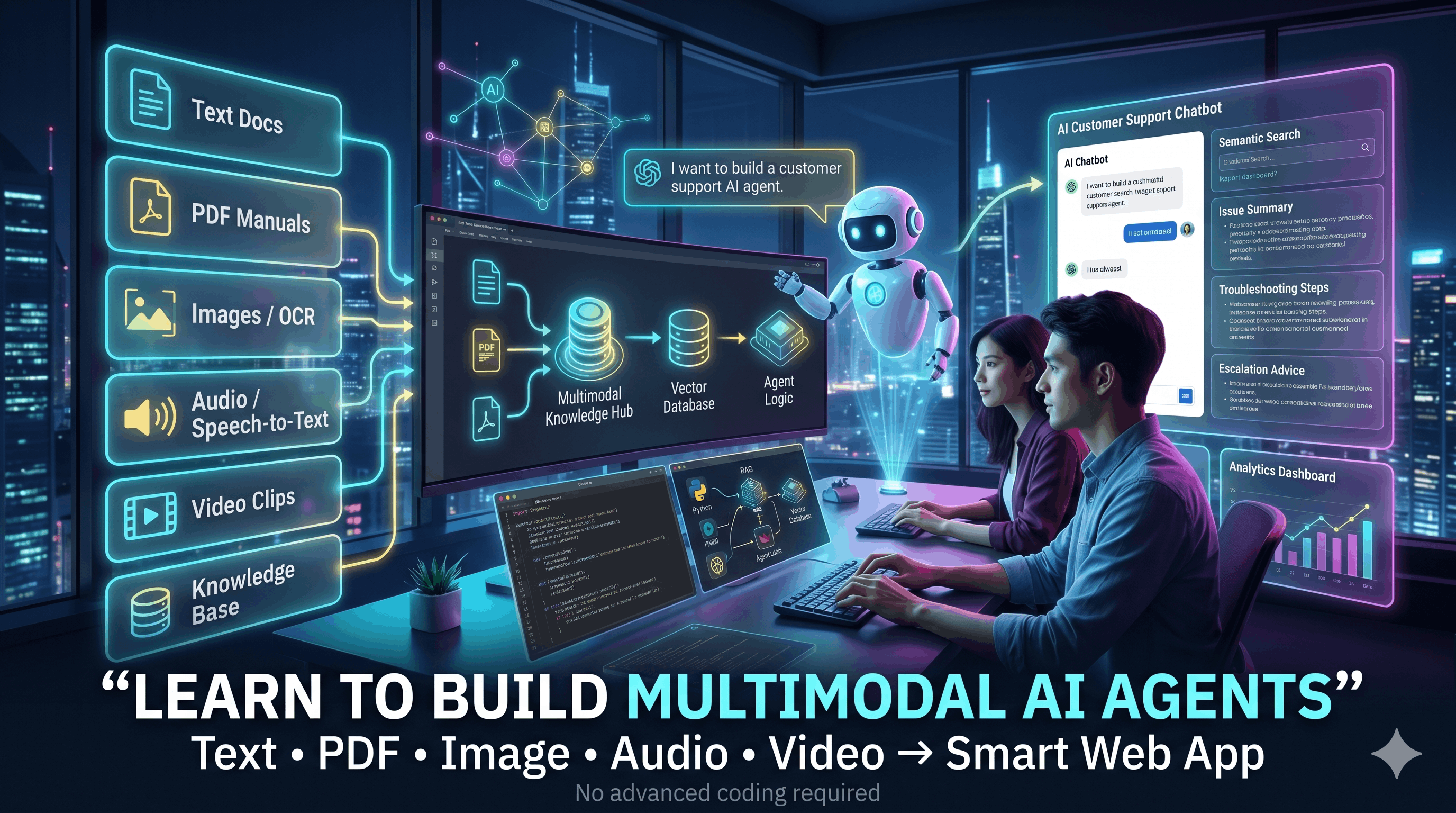
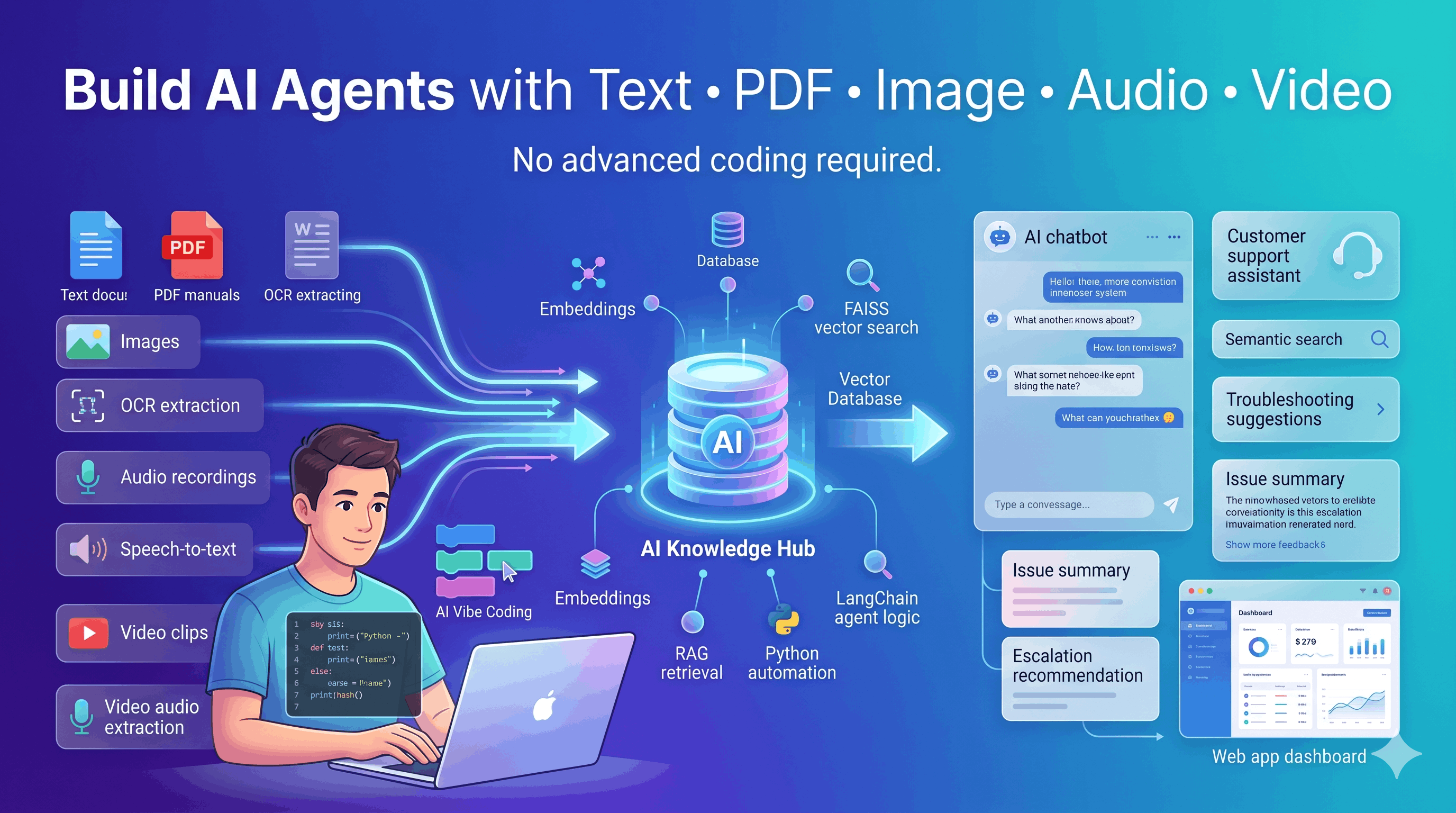
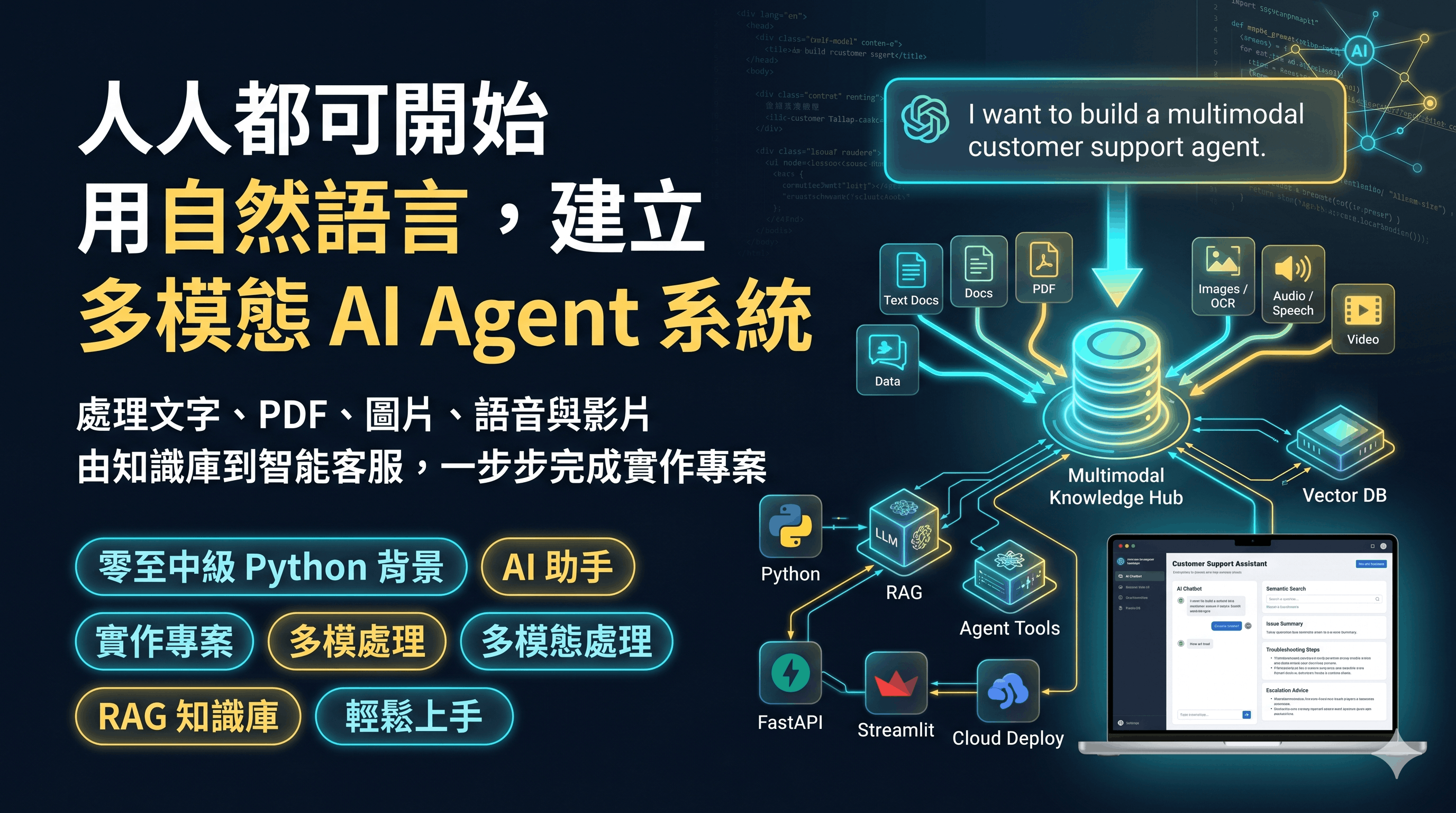
本課程以 AI Vibe Coding 方式,帶領學員使用 Python 快速建立可運作的 多模態 LLM Agent 應用。課程內容涵蓋 Hugging Face、Gemini、LangChain、RAG、FAISS、Gradio、FastAPI、Streamlit 及雲端部署流程。學員將學習如何處理 文字、PDF、圖片、音訊及影片,並將不同格式的資料轉化為可搜尋的知識內容, 透過 RAG 檢索增強生成Agent 工具調用 建立智能應用。 課程最終將完成一個 Multimodal Customer Support Assistant 多模態客戶支援 Agent, 支援文件上載、圖片 OCR、影像描述、語音轉文字、影片音訊擷取、FAISS 語義搜尋、問題解答、問題摘要、疑難排解建議及升級處理建議。 學員亦會學習如何把應用拆分為 FastAPI BackendStreamlit Frontend, 並在 Google Colab、Cloudflare TunnelRender 上進行測試及部署。

AI Vibe Coding for MultiModal Agent Development Banner

課程目標 🎯

  • ✅ 理解 Generative AI、LLM、多模態 AI、Transformer 的基本概念
  • ✅ 使用 Google Colab 建立 AI 開發環境,設定 Hugging Face Token 及 Gemini API Key
  • ✅ 使用 Hugging Face Pipeline 快速完成文字生成、情感分析、問答、摘要、翻譯及圖像分類
  • ✅ 理解 Hugging Face Tokenizer、Processor、Model 及 Dataset 的基本使用方式
  • ✅ 使用 Gradio 快速建立 AI Demo 介面,並部署至 Hugging Face Spaces
  • ✅ 使用 Gemini 與 LangChain 建立 Prompt、Chain、Parser、Runnable 及 Memory-enabled Chatbot
  • ✅ 使用 LangChain Tools 與 Agents 建立可調用工具的智能代理
  • ✅ 使用 Embeddings、Chunking、Metadata、FAISS 建立語義搜尋及 RAG 系統
  • ✅ 處理 TXT、PDF、圖片、音訊及影片等多模態資料來源
  • ✅ 使用 BLIP 進行圖片描述、RapidOCR 擷取圖片文字、Whisper 進行語音轉文字
  • ✅ 建立 Multimodal Customer Support Assistant,支援問答、摘要、疑難排解及升級建議
  • ✅ 使用 FastAPI 建立後端 API,使用 Streamlit 建立前端應用
  • ✅ 使用 Cloudflare Tunnel 及 Render 將應用公開測試及部署

學習成果 🎓

成功完成本課程後,學員將能夠:

  • 解釋 Generative AI、LLM、多模態 AI 及 Transformer 的核心概念
  • 在 Google Colab 中設定 AI 開發環境,並管理 Hugging Face 及 Gemini API 金鑰
  • 使用 Hugging Face Pipeline 完成常見 AI 任務,例如情感分析、文字生成、問答、摘要、翻譯及圖像分類
  • 使用 Tokenizer、Processor 及 Model 類別 更深入控制 Hugging Face 模型輸入及輸出
  • 使用 Gradio 建立互動式 AI Web Demo,並部署至 Hugging Face Spaces
  • 使用 LangChain 建立 Prompt Template、Chain、Output Parser 及 Runnable Pipeline
  • 使用 SQLite 儲存聊天記錄,建立具有記憶能力的 Chatbot
  • 使用 LangChain Tools 及 Agents 建立可自動選擇工具的 AI Agent
  • 使用 Embeddings 及 FAISS 建立語義搜尋及 RAG 問答系統
  • 整合 TXT、PDF、圖片、音訊及影片 成為統一的 LangChain Document 管道
  • 使用 OCR、Image Captioning 及 Speech-to-Text 將非文字資料轉化為可檢索內容
  • 設計 FastAPI Backend 及 Streamlit Frontend,建立完整全棧 AI 應用
  • 使用 Render 部署 AI 應用,完成由 Notebook Demo 到雲端服務的遷移

課程特色 ✨

  • AI Vibe Coding 教學模式: 以實作為主,快速由概念進入可運作的 AI 應用。
  • 從基礎到應用完整覆蓋: 由 Generative AI、LLM、Transformer 開始,再進入 Hugging Face、Gemini、LangChain、RAG 及部署。
  • Hugging Face 實戰: 學習 Model Hub、Datasets、Spaces、Pipeline、Tokenizer、Model、Endpoint 及 Embeddings。
  • Gemini + LangChain: 使用 Gemini 建立 Chat Model,配合 Prompt Template、Chain、Parser、Runnable 及 Tool Calling。
  • Chatbot Memory: 使用 SQLChatMessageHistory 及 RunnableWithMessageHistory 建立可記住不同使用者對話的 Chatbot。
  • AI Agent 工具調用: 學習 Tool Calling、LangChain Tools、Agents、Chains vs Agents 及多步驟推理流程。
  • FAISS RAG 系統: 由 Embeddings、Chunking、Metadata、Similarity Search 到 FAISS Vector Store 及 RAG Chain。
  • 多模態資料處理: 支援文字、PDF、圖片、音訊及影片,將所有資料轉化為統一的 Document 管道。
  • OCR + Image Caption + Speech-to-Text: 使用 RapidOCR、BLIP、Whisper 建立多模態資料理解能力。
  • 完整全棧 AI 應用: 使用 FastAPI 建立後端 API,Streamlit 建立前端介面。
  • 部署實戰: 在 Colab 測試,透過 Cloudflare Tunnel 公開服務,最後遷移至 Render 雲端部署。

課程目標對象 👩‍💻👨‍💻

  • 🔰 Python 初學者至中級開發者: 想以實作方式進入 LLM、RAG、Agent 及多模態 AI 應用開發。
  • 💡 AI/ML 入門學員: 想掌握 Hugging Face、Gemini、LangChain、FAISS 等熱門工具。
  • 🏢 企業 IT 人員: 想建立可處理文件、圖片、語音、影片及客戶查詢的 AI 支援系統。
  • 📊 數據分析師 / 自動化人員: 想把 AI 加入日常文件處理、知識庫問答及工作流程自動化。
  • 🚀 創業者 / 產品經理: 想理解如何快速建立 AI Agent Prototype 及部署至雲端。

為什麼選擇這課程? 🤔

  • 🚀 完整應用流程: Python → Hugging Face → Gemini → LangChain → Memory → Tools → Agents → RAG → FAISS → Multimodal Processing → FastAPI → Streamlit → Render
  • 🧠 由簡入深: 先用 Pipeline 及 Gradio 快速建立 Demo,再逐步進入 LangChain、RAG、Agent 及全棧部署。
  • 📦 真實專案導向: 最終建立 Multimodal Customer Support Assistant,處理文字、PDF、圖片、音訊及影片。
  • 🔧 開源 + 商業 API 並重: 同時掌握 Hugging Face 開源生態及 Gemini API 應用方式。
  • 🔎 強調 RAG 及可追溯答案: 學習如何顯示 retrieved context,提升透明度及可解釋性。
  • ☁️ 包含部署流程: 不只寫 Notebook,更會建立 Backend、Frontend 及雲端部署設定。
  • 🎥 完整錄影+實作範例: 學員可反覆重溫,按自己進度練習。

你將學到什麼 💡

使用 Python 及 Google Colab 建立 AI 開發環境

🤗 使用 Hugging Face Pipeline、Model、Tokenizer、Dataset、Spaces

使用 Gemini API 及 LangChain 建立 LLM 應用

使用 Gradio 快速建立 AI Demo 及部署 Hugging Face Spaces

使用 LangChain 建立 Chains、Memory、Tools 及 Agents

使用 FAISS 建立 RAG 語義搜尋及知識庫問答系統

整合 OCR、BLIP、Whisper 處理圖片、音訊及影片

FastAPI Backend + Streamlit Frontend + Render 雲端部署

Course Content

Module 1.1 – Generative AI and Multimodal LLM Foundations
  • What is a Generative AI application?
  • What is a multimodal generative AI application?
  • Examples: customer support, meeting assistant, marketing generator, document intelligence
  • What is an LLM?
  • Open-source LLMs vs closed-source LLMs
  • Neural networks and Transformer concepts
🤗 Module 1.2 – Hugging Face Ecosystem
  • Model Hub, Dataset Hub and Spaces
  • Searching models and reading model cards
  • Finding datasets
  • Getting Hugging Face access token
  • Using Hugging Face Spaces for AI demos
Module 1.3 – Google Colab Setup
  • Create and rename Colab notebooks
  • Store Hugging Face token in Colab Secrets
  • Grant notebook access to secrets
  • Change runtime to GPU
Module 1.4 – Hugging Face Pipeline, Tokenizer and Model
  • Pipeline concept: Task + Model + Preprocessing + Inference + Postprocessing
  • Sentiment analysis, text generation, NER, question answering, summarization, translation
  • Zero-shot classification, fill-mask and image classification
  • Tokenizer and Processor concepts
  • Model classes and manual model invocation
  • Text preprocessing, long text chunking and dataset evaluation
Module 1.5 – Gradio UI and Hugging Face Spaces Deployment
  • What is Gradio?
  • Interface and Blocks
  • Textbox, Image, Audio, File, Chatbot, Slider, Button and other components
  • Build simple apps: greeting app, currency converter, image upload demo
  • Use Hugging Face Pipeline and Gradio together
  • Deploy Gradio application to Hugging Face Spaces
Practical Lab

Build and deploy a Hugging Face sentiment analyzer with Gradio and Hugging Face Spaces

Module 2.1 – Gemini and LangChain Model Setup
  • Apply for Gemini API key
  • Add Google API key in Colab
  • Create Gemini model object using ChatGoogleGenerativeAI
  • Use .invoke(), .batch() and .stream()
  • Change model layer: Hugging Face, OpenAI, Anthropic and Google
Module 2.2 – LangChain Prompt, Parser, Chain and Runnable
  • Prompt templates
  • Chat messages and roles: system, human, ai
  • Output parsers
  • Prompt + LLM + Parser as a Chain
  • Runnable, RunnableSequence, RunnableParallel, RunnablePassthrough and RunnableLambda
  • Visualizing chains
Module 2.3 – LangChain Memory and Chatbot
  • Why memory matters in chatbot applications
  • ChatMessageHistory and SQLChatMessageHistory
  • Store conversation history in SQLite
  • Separate chat history for different users
  • MessagesPlaceholder
  • RunnableWithMessageHistory
  • Build a Gradio chatbot with memory support
Module 2.4 – Tools and Tool Calling
  • What is a tool?
  • Why LLM applications need tools
  • Bind Python functions as tools
  • Gemini tool calling flow
  • ToolMessage and returning tool results to the model
  • Complete tool use flow
Module 2.5 – LangChain Agents
  • What is an Agent?
  • Tools vs Agents
  • Chains vs Agents
  • Create agents with add and multiply tools
  • Agent internal decision flow
  • Multi-step reasoning with tools
Practical Lab

Build a memory-enabled LangChain chatbot and an AI Agent that can call calculation/API tools

Module 3.1 – Embeddings and Vector Search
  • What are embeddings?
  • Generate embeddings for text queries and documents
  • Cosine similarity
  • Semantic search vs keyword search
  • Hugging Face embedding models
Module 3.2 – Vector Stores, Metadata and FAISS
  • In-memory vector store
  • Add text with metadata
  • Similarity search
  • Filtered similarity search
  • RecursiveCharacterTextSplitter
  • Load TXT, PDF and YouTube transcripts
  • Create FAISS vector store
  • Save and load FAISS index locally
  • Use FAISS as retriever
Module 3.3 – Retrieval-Augmented Generation
  • RAG architecture
  • Retrieve relevant chunks as context
  • Build RAG chain with Hugging Face model
  • Answer questions using retrieved context only
  • Document-based QA vs general QA
  • RAG chat chain with SQL memory
  • Agent with document and general tools
Module 3.4 – Multimodal Document Processing
  • Unified LangChain Document representation
  • TXT loader and metadata
  • PDF loader and page-level metadata
  • Image loader with BLIP image captioning
  • Image OCR using RapidOCR
  • Audio transcription using Whisper
  • Video audio extraction using MoviePy and Whisper
  • Convert text, PDF, image, audio and video into searchable documents
Practical Lab

Build a FAISS-based RAG system that can search TXT, PDF, image OCR/caption, audio transcript and video transcript

Module 4.1 – Multimodal Customer Support Assistant
  • Project goal and system workflow
  • Supported inputs: TXT knowledge base, PDF manuals, screenshots/images, audio calls and demo videos
  • Outputs: answers, issue summaries, troubleshooting steps and escalation recommendations
  • High-level pipeline: load files, convert to documents, split, embed, store in FAISS, retrieve context, generate response
Module 4.2 – Backend AI Pipeline Design
  • Dependency installation
  • Model setup: HuggingFaceEndpoint, ChatHuggingFace, HuggingFaceEmbeddings, BLIP, RapidOCR, Whisper
  • Prompt templates: QA, issue summary, troubleshooting and escalation
  • Utility functions: safe_basename, clean_text, join_docs_for_context, generate_image_caption
  • Build vector store from uploaded file paths
  • Question answering, summarization, troubleshooting and escalation functions
Module 4.3 – FastAPI Backend
  • Create backend_app.py
  • FastAPI initialization and CORS middleware
  • Case-based in-memory storage
  • File upload and file type assignment
  • API endpoints: GET /, POST /ingest, POST /ask, POST /summarize, POST /troubleshoot, POST /escalate
  • Error handling and development diagnostics
Module 4.4 – Streamlit Frontend
  • Create streamlit_app.py
  • Page structure and session state
  • Multiple file upload
  • Calling FastAPI backend with requests
  • Tabs: Ask Question, Summarize Issue, Troubleshooting and Escalation
  • Display answer and retrieved context
  • Frontend error handling
Module 4.5 – Colab Testing, Cloudflare Tunnel and Render Deployment
  • Install FastAPI, Uvicorn, Streamlit and Requests in Colab
  • Start backend server with Uvicorn
  • Start Streamlit frontend server
  • Kill previous processes and prevent port conflicts
  • Expose backend and frontend using Cloudflare Tunnel
  • Migrate project to production with GitHub and Render
  • Repository file structure: backend_app.py, streamlit_app.py, requirements.txt, render.yaml, README.md, .python-version
  • Deploy backend and frontend as separate Render services
  • Configure environment variables: HF_TOKEN, UPLOAD_DIR, BACKEND_URL
Final Capstone Project

🎯 Multimodal Customer Support Agent Application

Includes:

  • Upload TXT, PDF, image, audio and video files
  • Extract text from PDF and TXT
  • Generate image captions using BLIP
  • Extract image text using RapidOCR
  • Transcribe audio and video audio using Whisper
  • Split content into chunks
  • Create embeddings and store them in FAISS
  • Ask questions using RAG
  • Generate issue summaries
  • Generate troubleshooting steps
  • Suggest escalation decision
  • FastAPI backend
  • Streamlit frontend
  • Colab testing, Cloudflare public URL and Render deployment

導師簡介

Dannis Mok

He has rich experience in business web and apps system development and over 25 years of teaching experience. He has a great passion for learning and teaching new technologies, and his teaching style is clear, to the point, and simplifies complex technologies into easy-to-understand terms.

He has delivered various workshops and classes for well-known corporates, government departments, and local universities, specializing in office automation, data science, data analysis, AI application development, and business web and apps system development. He is the principal lecturer for NCC Education and University of Greenwich, and has provided training that equips professionals with practical skills tailored to industry needs.

By leveraging his expertise in these areas, he has successfully trained professionals in corporate organizations and government departments to enhance efficiency, adopt data-driven decision-making, and embrace automation and AI technologies.

In addition to his BSc degree in IT, he holds an MBA, an MSc in IT, and an MSc in Telecommunication.

Microsoft MOS Master Microsoft MOS Word Microsoft MOS Excel Microsoft MOS PowerPoint Microsoft MOS Access CompTIA Data Plus Microsoft Power BI Data Analyst Associate Python Institute PCAP
相關專業認證
  • Microsoft MCSE, MCDBA
  • Microsoft Certified System Developer
  • Microsoft Office Specialist Master
  • Cisco CCNA,CCDA,CCNP,CCDP
  • Sun Microsystems -- Certified Java Programmer
  • Oracle -- Certified Database Professional
  • Linux - LPI Level 1 & 2
  • CompTIA Data+
  • Microsoft Certified: Power BI Data Analyst Associate
  • Python Institute: Certified Associate Python Programmer
相關教學經驗
  • 為積金局 (MPF) IT 員工提供 Android 及 iPhone 視像培訓課程
  • 為香港教育局提供 Android 培訓課程予中學電腦科導師
  • 為香港教育大學 IT 員工提供 Cordova 跨平台流動程式開發課程
  • 為房屋署員工 IT 員工提供 HTML5 跨平台流動程式開發課程
  • 為房屋署員工 IT 員工提供 Android 及 iPhone 平台流動程式開發課程
  • 為香格里拉大酒店IT 員工提供 Android 流動程式開發課程
  • 為勞工處提供 HTML5 遊戲培訓課程及電子商店培訓課程
  • 為中國銀行IT 員工提供 Android 及 iPhone 流動程式開發課程
  • 為香港郵政IT 員工提供 Angular 8 程式開發課程
  • 為 VTC 職業訓練局提供各種各類 IT 培訓課程
  • 為醫管局員工 IT 員工提供跨平台流動程式開發課程

視像課程內容

除面授課堂,同學亦可重溫課程錄影片段,觀看期為期一年,可在家無限重播。

PowerBI Relationship (08m:59s)
Python Pandas (06:32)
PowerAutomate Auto Sum Up (06:32)

網上學習系統

為配合在職人士的需求,本校的課程已全部錄影,學員可因應自己的學習進度,隨時隨地選擇任何一科開始學習。學員有充裕的時間去不斷重溫及重播相關技術課程片段,務求令自己掌握相關技術。

詳細視像課程內容,請登入網上學習系統觀看。

登入戶口: demo

登入密碼: demo

LOGIN
Online Learning System

報名及付款

Certificate in AI Vibe Coding for MultiModal Agent Development

Build Multimodal LLM Applications with Python, Hugging Face, Gemini, LangChain, FAISS, FastAPI and Streamlit

Course Code: VMA2026

Schedule: Starts on 2nd July, 7:00 PM -- 9:30 PM

Total Duration: 4 lessons (10 hours)

🎉 Early Bird Discount 🎉

$3,980 $2,280

其他付款方式

支付詳情

  • 轉數快: 快速支付系統識別碼: 108329293
  • 銀行轉帳: 恆生銀行 #789-681384-883
    (戶口名稱: UNiSOFT Education Limited)
  • 支票付款: 枱頭請寫 UNiSOFT Education Limited

注意: 如選用轉數快或銀行轉帳完成付款後,請將付款記錄 Whatsapp 到 90455522

校舍地址及聯繫方式

校舍地址: 九龍佐敦德興街12號興富中心5樓501室
辦公時間: 星期一至星期五 上午11時至晚上8時